
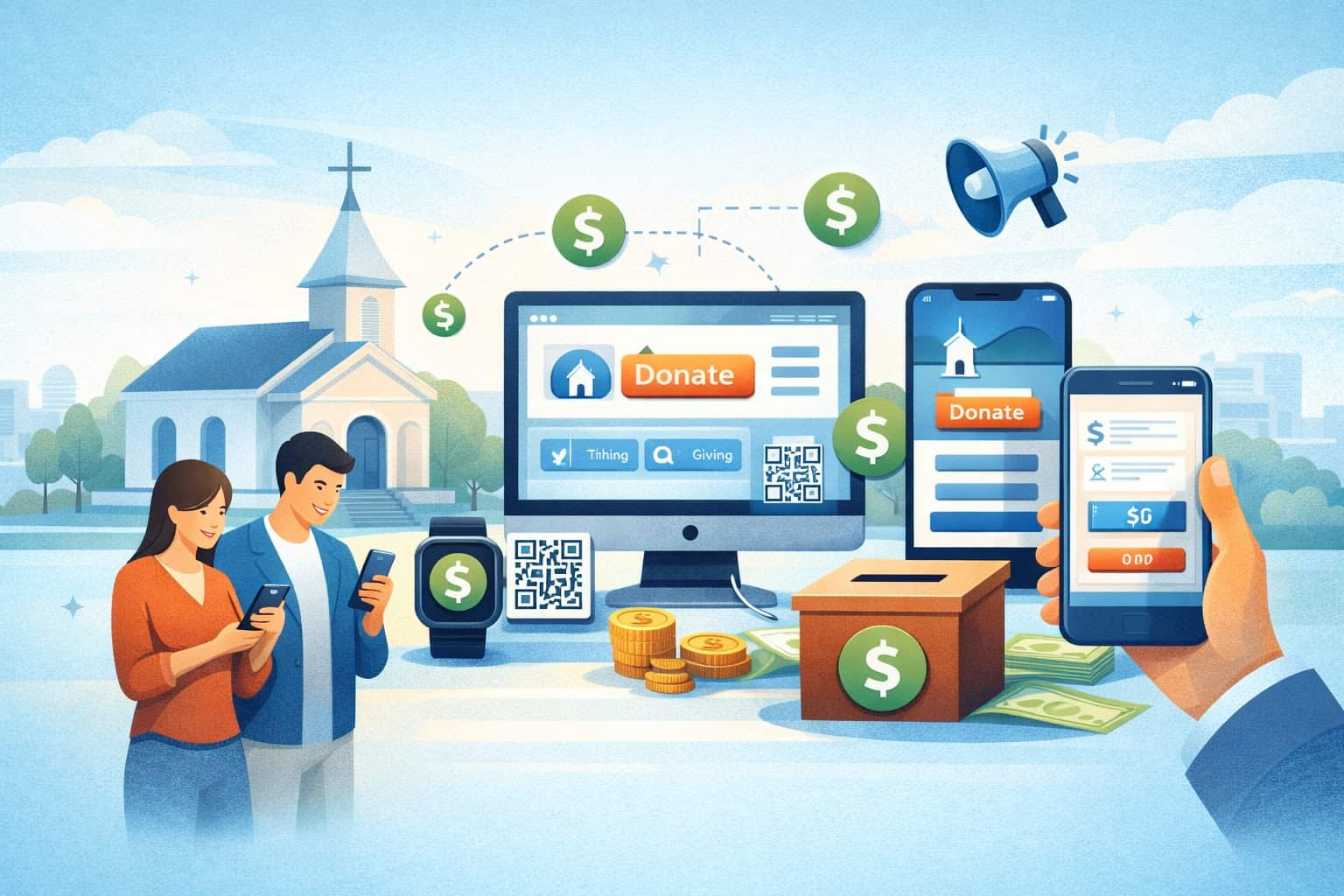
What Is Tithing Software for Churches? (2026 Complete Guide + How It Works)
Tithing software for churches (sometimes called church tithing software or church donation and tithing software) is designed to make giving simpler for givers and more manageable for church finance teams.
In 2026, the best platforms do much more than “take a payment.” They help your church offer online tithes and offerings, manage fund designations (general fund, missions, building fund), create giving statements and receipts, support recurring tithing setup, and streamline reconciliation with your accounting tools.
This guide is written for church leaders, administrators, treasurers, finance teams, and volunteers who want a practical understanding of how church tithing management software works, what features matter most, and how to roll out digital giving responsibly—without hype, pressure, or exaggerated promises.
You’ll also find real-world workflows, comparison tables, a 30/60/90-day rollout plan, and a setup checklist you can follow step by step.
What tithing software is (and what it is not)
Tithing software for churches is a tool (often cloud-based) that enables your church to accept, track, and report contributions across modern giving channels—web, mobile, text, QR codes, and in-person kiosks.
It typically includes a church giving platform (the giver-facing experience) plus administrative tools for finance teams: donor (giver) management, funds and designations, reporting dashboards, receipts, and statement generation.
At its best, church tithing software provides three things at once:
- A simple giving flow for givers (fast, mobile-first, clear options)
- A secure payments layer (authorization, tokenization, and payout management)
- A finance layer (designations, reporting, exports, reconciliation, and audit controls)
What it is not: it’s not your general ledger accounting system, and it’s not always your full Church Management System (ChMS).
Some products include light “people records” or basic member profiles, but a dedicated ChMS usually manages attendance, groups, pastoral care notes, registrations, and broader member engagement. Likewise, accounting software handles chart of accounts, journal entries, vendor bills, and formal financial statements.
In many churches, the healthiest setup is an integrated trio:
- Church donation and tithing software to accept and track gifts
- A ChMS to connect gifts to household profiles and engagement tools
- Accounting software to post deposits, allocate restricted gifts properly, and reconcile bank activity
How church tithing software works end-to-end

A modern giving system is an end-to-end workflow—not a single screen. Understanding the full pipeline helps you choose the right tool, configure it well, and answer common questions from leaders and volunteers.
Here’s the typical flow:
- Giver chooses a method (web form, app, text-to-give, QR code, kiosk)
- Giver enters an amount and selects a fund (general fund, missions, etc.)
- Payment is authorized (card or ACH authorization, tokenization, risk checks)
- Receipt is generated (immediate confirmation email/text, optional push notification)
- Gift is recorded with designation, date, giver profile, and notes (if enabled)
- Funds settle and pay out to the church bank account (payout timing varies)
- Finance team reviews reports (by fund, campaign, giver, date range, method)
- Reconciliation occurs (batch deposits matched to bank activity; exports to accounting)
- Statements are generated (giving statements and year-end contribution statements)
This is where quality varies. Some tools handle steps 1–4 well, but make steps 7–9 difficult. Others have powerful finance controls but a clunky giver experience. Your job is to balance both.
End-to-end workflow diagram (text description)
Workflow Diagram: “Giving-to-Statements Pipeline”
- Start: Giver opens giving link / app / text keyword / kiosk
- Step A: Choose amount → choose frequency (one-time or recurring) → choose fund designation
- Step B: Enter payment details (card or bank account) → authorization request sent to processor
- Step C: Authorization approved → token created (no card numbers stored by church)
- Step D: Receipt sent → giver profile updated (or created) → transaction appears in admin dashboard
- Step E: Payout batch created → funds deposited to church bank account
- Step F: Reports + exports → reconciliation in accounting → year-end statements generated
- End: Records retained per policy; permissions and audit logs preserved
Core features of church tithing management software (what matters most in 2026)

Not every church needs every feature, but most churches benefit from a strong baseline set—especially when you’re moving from cash/check tracking to digital giving. Below are the core features that define modern church tithing management software and why each one matters.
A complete solution usually includes:
- Online giving forms and mobile giving: Mobile-first forms, embedded website giving, and shareable links
- Recurring giving: Weekly/biweekly/monthly scheduling, easy updates, reminders, and card expiration management
- Fund designations and restricted gifts: Multiple funds, rules for restricted giving, and thoughtful limits to prevent confusion
- Giver profiles and history: Consolidated record by individual/household, giving history, notes, and contact preferences
- Receipts and year-end statements: Immediate receipts plus consolidated year-end contribution statements for tax-season requests
- Reporting dashboards: Finance and leadership reporting, exports, trend views, method breakdowns, and designation summaries
- Campaign tools: Pledges and campaign giving for building funds, missions, special projects, and seasonal initiatives
- Permissions and security controls: Role-based access, audit logs, data retention rules, and privacy settings
- Integrations: Sync with ChMS and accounting; automatic mapping of funds to accounts reduces manual errors
A common misconception is that “digital giving” ends when someone donates. In practice, your finance team needs clean workflows: fund mapping, deposit reporting, reconciliation, and statement generation. That’s where a platform becomes a ministry support tool instead of a weekly headache.
Online giving forms and mobile giving
Online giving forms are the main “front door” for digital giving for churches. In 2026, givers expect a mobile-first form that loads quickly, has minimal fields, and makes it obvious how to designate a gift. A strong form also supports accessibility (clear labels, logical tab order, readable contrast) so everyone can use it confidently.
Look for forms that support:
- Suggested amounts (but not manipulative language)
- Clean fund designations (no clutter, no confusion)
- Optional covers-fees toggle (if your church chooses to offer it)
- Secure saved payment methods via tokenization (never stored by the church)
- Fast checkout (especially for returning givers)
Also consider how the form is delivered: embedded on your website, hosted by the platform, and linked from QR codes and texts. The best approach often includes both an embedded page for regular website visitors and a simple hosted link for QR codes, social posts, and messaging.
Recurring giving (recurring tithing setup)
Recurring giving is one of the most practical tools churches use for consistent stewardship—because it reduces forgetfulness and smooths attendance-related variation.
But recurring giving must be easy to set up and even easier to manage. Givers should be able to adjust amounts, pause, switch funds, or update payment methods without embarrassment or friction.
A healthy recurring system includes:
- Flexible schedules (weekly, biweekly, monthly)
- Simple fund splitting (e.g., 90% general fund, 10% missions)
- Reminders for expiring cards or failed transactions (handled respectfully)
- Easy edits from a giver portal (reducing admin involvement)
- Clear receipts that show recurring status and fund breakdowns
From the church side, finance teams need recurring reports: who is active, what failed, what changed, and how to follow up when someone asks for help. The goal is to support givers gently, not to pressure them.
Fund designations, restricted gifts, and clean accounting

Fund designations are where stewardship meets operational clarity. Done well, they help givers give with confidence and help the church allocate funds responsibly. Done poorly, they create confusion, misapplied gifts, and reconciliation problems—especially when you have many overlapping options.
Most churches should start with a small set of designations:
- General Fund
- Missions
- Benevolence (if managed with appropriate discretion)
- Building Fund (if applicable)
- Special Campaign (only when active)
Restricted gifts (or designated gifts) require careful handling. Your system should track:
- Designation chosen by the giver
- Restriction category (internal policy)
- Deposit and payout batches
- Accounting mapping (which accounts receive which designations)
- Reporting visibility (who can see what, especially with sensitive funds)
How to prevent designation overload
Too many designations can feel like a menu nobody understands. It increases giving errors (“I meant general fund but clicked something else”) and makes reporting messy. Consider creating designations only when you can answer “yes” to all three:
- We can explain this designation in one sentence.
- Finance can reconcile and report it consistently.
- Leadership has a clear stewardship plan and policy for it.
Fund mapping and reconciliation
Church tithing management software should allow you to map each designation to your internal financial structure. Even if you don’t automate entries, you want clean exports that match your deposit batches. Ideally, each payout or deposit corresponds to a predictable set of reports:
- Total by designation
- Total by giving method (ACH vs card)
- Net deposit amount after fees
- Reference ID that matches bank deposits
This makes month-end closes easier and reduces volunteer burnout. The best setup is when your treasurer can answer: “What was deposited, when, and how does it break down?” in minutes—not hours.
Giving methods explained: online, text-to-give, QR codes, kiosks, and more
Church giving has expanded beyond passing a plate. Each giving method serves a different moment: at home, in a service, during an event, or after a conversation. The goal is not to use every method—it’s to use the right mix for your congregation and volunteers.
Below are the most common options in a 2026 church giving platform and how they fit together.
Online giving (web + app)
Online giving is the foundation: a giving page on your website and/or a mobile app experience. The form should make it simple to choose a designation, set a frequency, and complete the gift quickly. Online giving also supports seasonal campaigns, special events, and follow-up giving after services.
For finance teams, online gifts usually produce the cleanest reporting: consistent data fields, reliable receipts, and straightforward statement inclusion. The main challenge is form design—too many fields or confusing fund names can reduce completion.
Text-to-give
Text-to-give is a convenience method: a giver texts a keyword or amount and receives a link (or completes a saved-payment flow). It’s especially helpful during services and for people who prefer messaging over navigating a website.
Text-to-give works best when:
- The keyword is short and memorable
- The link opens a mobile-first page
- Returning givers can complete giving quickly without re-entering details
- The church communicates it clearly (screen slides, bulletin, signage)
Because it can be used in-the-moment, text-to-give can reduce “I’ll do it later” giving drop-off. But it must be set up carefully to avoid confusion.
QR code church giving
QR codes are a bridge between physical and digital environments. Placed on seatbacks, bulletins, posters, and event signage, a QR code can open the giving form instantly.
Best practices for QR code church giving:
- Link to a stable, short URL (not a complicated one that changes)
- Use large enough codes for quick scanning
- Place a simple instruction: “Scan to give”
- Consider separate QR codes for campaigns (so you can track engagement)
QR codes are also effective for guest giving or special offerings. Just be sure your QR code leads to a trustworthy page with your church name visible to prevent hesitation.
Giving kiosk for churches
A giving kiosk is a physical station in the lobby or welcome area—often a tablet or touchscreen—used for card giving and sometimes ACH setup. Kiosks help people who don’t want to use their phone or who need assistance.
Kiosks can be helpful when:
- You have volunteers available to assist (without pressuring)
- You run events with high guest attendance
- You want an accessible option for those without smartphones
Kiosks also introduce security and privacy considerations. You need screen timeouts, restricted access, and clear procedures for assisting without seeing sensitive details.
ACH giving vs card giving: what to know (and when each is beneficial)

One of the most important (and misunderstood) decisions in digital giving for churches is payment method choice. Many platforms support both cards and ACH. Both can be appropriate, and both require clear communication.
ACH giving vs card giving differences often come down to:
- Fees (processing costs can differ)
- Payout timing
- Dispute behavior (chargebacks vs ACH return scenarios)
- Giver preference and convenience
Cards (debit/credit) are familiar and fast, often with strong approval rates and instant confirmations. ACH can be cost-effective for larger gifts or recurring commitments and can appeal to givers who prefer bank transfers.
Practical guidance for churches
A healthy approach is to offer both and let givers choose:
- Encourage ACH for recurring giving if it reduces fees for your church (without pressure)
- Keep card giving available because it’s simple and widely used
- Be transparent: “Different methods have different processing costs”
Also consider the giver experience. ACH setup can require bank login or account/routing entry, which some people prefer not to do on the spot. Cards may be easier to start, while ACH may be better for long-term recurring giving.
Comparison table: giving methods
| Giving Method | Best Use Case | Giver Experience | Operational Notes |
|---|---|---|---|
| Online giving (web) | Primary giving page, campaigns | Familiar and accessible | Great for reporting and statements |
| Mobile app giving | Frequent givers, engagement | Convenient for returning users | Depends on adoption of the app |
| Text-to-give | In-service, quick action | Fast if optimized | Must test keyword flow thoroughly |
| QR code giving | Physical-to-digital bridge | Very quick entry | Link stability and trust are key |
| Giving kiosk | Assisted giving, accessibility | Helpful with volunteers | Requires privacy safeguards |
| Card giving | One-time and recurring | Very familiar | Fees may be higher than ACH |
| ACH giving | Recurring, larger gifts | Great for steady giving | Setup can be a bit more involved |
Payments and fees (processing, platform fees, payout timing)
When churches adopt church tithing software, questions about costs and timing are normal and healthy. Your finance team needs clarity on what you’re paying for, how deposits show up in the bank, and how refunds or disputes work.
Processing fees vs platform fees
Most costs fall into two categories:
- Payment processing fees: Charges related to moving money through card networks or ACH rails, plus processor services
- Platform fees: Charges for software features—giving tools, donor management, statements, reporting, and support
Some providers bundle these together; others separate them. Either model can be fine, as long as pricing is transparent and you can estimate costs responsibly.
Key questions to ask:
- Is pricing flat-rate or tiered?
- Are there monthly minimums?
- Are there additional fees for text-to-give, kiosks, or statements?
- Is there an extra cost for ACH?
- Are chargeback/dispute fees passed through?
Pro Tip: Ask for a sample monthly cost breakdown using your last 2–3 months of giving volume and methods. Real examples beat theoretical pricing.
Payout timing
Payout timing is how long it takes for approved gifts to reach your bank. Timing varies by provider and method, and it may differ for ACH vs card. Your finance team should know:
- How often payouts occur (daily, weekly, or on a schedule)
- Whether holidays or weekends affect timing
- Whether you can control payout frequency
- How the deposit will appear on the bank statement (descriptor/reference)
The best systems provide a payout report that clearly ties to the deposit amount and shows the gross/fee/net breakdown.
Refunds and disputes basics
Refunds happen for many reasons: giver mistakes, duplicate gifts, or pastoral care situations. Your process should be simple, documented, and restricted to authorized staff. Disputes (chargebacks) can occur if a giver contacts their bank instead of the church or doesn’t recognize the descriptor.
A good platform helps by:
- Keeping clear records (date, amount, method, receipt)
- Providing dispute response tools (documentation upload, timeline views)
- Offering clear descriptors (so givers recognize the charge)
Pro Tip: Make sure your giving descriptor includes the church name clearly. Confusing descriptors increase disputes.
Security and compliance: PCI basics, tokenization, privacy, and permissions
Security isn’t just “IT.” It’s stewardship. Churches handle sensitive donor information and must protect it—especially as volunteers rotate and systems change.
PCI compliance basics (and why churches shouldn’t store card numbers)
PCI compliance is the set of standards that governs how card data is handled. In plain terms: your church should not store card numbers, and your giving system should use secure methods so the church never touches raw card data.
Most reputable platforms use:
- Tokenization: card data is exchanged for a token; the token can be used for recurring gifts without storing card numbers
- Secure payment fields (hosted fields or redirect flows)
- Encryption in transit and at rest
- Compliance documentation from the processor/provider
Your job is to choose a system that keeps sensitive payment data out of your church’s hands and limits your compliance burden.
Pro Tip: If a vendor suggests you can “export and store” card details, that’s a red flag. The church should never keep raw card data.
Admin permissions, audit logs, and data retention basics
Beyond payments, you need controls around who can view, export, edit, and refund gifts. Best practices include:
- Role-based permissions (finance admin, statements-only, read-only reporting, kiosk attendant)
- Two-factor authentication for admins (recommended)
- Audit logs (who changed what, when)
- Data retention policy (how long you keep records and why)
- Clear offboarding (remove access when volunteers rotate)
Data privacy and permissions (people-first stewardship)
Privacy is pastoral care, too. Not everyone who helps with finance needs to see everything. Consider:
- Restricting access to giver notes or sensitive designations
- Limiting exports to essential roles
- Using separate roles for statement generation vs refund approval
- Documenting a privacy policy for internal teams
Pro Tip: Assign the least access needed for each role. “Just in case” access becomes a problem during turnover.
Integrations: ChMS, accounting, and reconciliation workflows that actually work
Integrations aren’t a bonus feature—they’re often the difference between clean operations and constant cleanup. Many churches want giving records tied to household profiles (ChMS) and giving totals mapped into accounting with minimal manual work.
Integration with church management systems (ChMS)
A ChMS typically manages member records, attendance, groups, and communications. When giving integrates with ChMS:
- Givers are matched to household profiles
- Giving history is visible to authorized pastoral/finance roles (as appropriate)
- Duplicate profiles are reduced (fewer “John S.” entries)
- Statements can reflect consolidated household giving accurately
But integrations must be configured carefully. Matching rules (email, phone, name) can create duplicates if data is inconsistent. Your rollout should include data cleanup and a plan for how new givers are handled.
Pro Tip: Decide in advance what makes a “match” (email and phone, for example). Consistency prevents duplicates.
Accounting integration and reconciliation
Accounting integration typically means exports or direct syncing of deposits and fund allocations. The goal is to reconcile deposits cleanly:
- Deposit in bank matches a payout report in the giving platform
- Payout report breaks down net/gross/fees by method
- Funds/designations map to the correct accounts
- Month-end totals can be verified quickly
Even if you don’t automate entries, you should have exports that make reconciliation simple. Your finance team should be able to answer: “Does the deposit match our giving records?” without digging through multiple systems.
Text workflow diagram: “Reconciliation in practice”
- Start: Bank shows a deposit from giving provider
- Step 1: Finance pulls the payout batch report for that date/reference
- Step 2: Confirm gross total + fees = net deposit
- Step 3: Confirm designation breakdown totals match the batch
- Step 4: Post/record deposit in accounting with appropriate fund allocations
- Step 5: Save batch report with month-end documentation
- End: Reconciliation complete; statements and reports remain consistent
Pro Tip: Choose a platform where payout batches are easy to find and clearly labeled. It saves hours over a year.
Choosing the right church donation and tithing software (checklists and red flags)
Choosing software is a stewardship decision: it affects giver trust, volunteer workload, and financial clarity. Below are practical criteria to evaluate church donation and tithing software without getting lost in marketing language.
Must-have checklist by church size
Small teams (limited staff/volunteers):
- Easy giving form setup (no complex configuration)
- Recurring giving with a self-serve giver portal
- Basic donor (giver) management and clean receipts
- Simple reports and exports
- Strong support and onboarding
Mid-sized operations (multiple funds, regular reporting):
- Fund designations with mapping and restrictions
- Robust reporting dashboards and scheduled reports
- Better role permissions and audit logs
- Text-to-give + QR code support
- Integrations with ChMS and accounting
Larger operations (multi-campus, campaigns, higher volume):
- Advanced permissions (department-level access)
- Campaign tools: pledge and campaign giving with goal tracking
- Multi-campus fund management and consolidated statements
- APIs or strong integration options
- Dedicated implementation support and data migration assistance
Pro Tip: Don’t pay for complexity you won’t use. But do invest in reporting, permissions, and reconciliation if you expect growth.
Support and onboarding expectations
Ask vendors about:
- Live onboarding sessions (not just articles)
- Training for volunteers (short guides + video walkthroughs)
- Support availability and response times
- Help with imports (existing giver lists, historical gifts)
- Ongoing success check-ins after launch
Contract and pricing red flags
Watch for:
- Long terms that lock you in without clear value
- Pricing that hides required add-ons (text-to-give, kiosks, statements)
- Extra fees for exports, API access, or basic support
- Unclear payout timing or unclear deposit descriptors
- No audit logs or weak permission controls
Pro Tip: Ask for a written fee schedule. If pricing can’t be explained simply, it will be hard to manage later.
Setup guide: step-by-step configuration that prevents headaches later
A good setup reduces confusion, protects privacy, and ensures year-end statements are accurate. Below is a practical setup path you can adapt to your team.
Step 1: Create funds/designations (start simple)
Begin with a short list of designations you can explain clearly. Write short, consistent names. For example:
- General Fund
- Missions
- Benevolence
- Building Fund
- Special Campaign (temporary)
If you plan to split gifts internally, decide whether you want givers to choose the split or whether the church allocates it after receiving general fund gifts. Many churches keep giver-facing designations simple to avoid confusion.
Pro Tip: Add a short description to each designation if your platform allows it (one sentence). It reduces mis-clicks.
Step 2: Configure recurring giving and suggested amounts
Set reasonable suggested amounts for quick selection while allowing custom amounts. If your platform supports it, you can offer:
- One-time and recurring options on the same page
- “Most common” presets (based on your community’s norms, without pressure)
- Fund split options for recurring donors (optional)
Be careful not to overload the form. The best approach is “simple now, flexible later.”
Pro Tip: Make “monthly recurring” prominent because it’s the easiest cadence for many households to manage.
Step 3: Embed giving form on your website
Most churches benefit from a dedicated “Give” page with:
- A brief statement on stewardship and transparency
- The embedded giving form or a clear button
- A short note on designations
- Support contact info for help setting up recurring giving
Also configure a shareable hosted link for QR codes and text-to-give.
Pro Tip: Keep the “Give” page fast. Heavy images and embedded videos can slow the giving form load time.
Step 4: Configure receipts, giving statements, and year-end contribution statements
Set up receipt templates with:
- Church name and contact details
- Gift date, amount, and designation
- Confirmation/reference number
- A short “thank you” that is warm but not transactional
For statements, confirm:
- Household grouping rules (if applicable)
- Address/email formatting
- How anonymous gifts appear (if you allow them)
- How refunds are displayed
Pro Tip: Run a “mock year-end statement” early, even if it’s not year-end. It helps you catch data issues while they’re easy to fix.
Step 5: Test donations and train staff/volunteers
Before launch:
- Make at least one card test gift and one ACH test gift (small amounts)
- Confirm receipts deliver to email and/or text
- Confirm funds/designations report correctly
- Confirm payout and deposit mapping makes sense
- Train volunteers with a short script: how to help without handling payment details
Pro Tip: Training should include what volunteers should not do—like writing down card numbers or logging into accounts on someone else’s phone.
Best practices to increase participation without hype or pressure
Healthy participation grows when giving is simple, trustworthy, and clearly connected to stewardship. The goal is to remove friction and communicate well—not to push emotional prompts or make unrealistic claims.
Mobile-first, simple forms
A mobile-first giving experience is essential because many givers will use their phone. Prioritize:
- Few fields
- Clear fund names
- Easy recurring setup
- Fast load time
- Minimal scrolling
If givers abandon the form, it’s usually because it feels confusing or too long.
Transparency and stewardship updates
People give with more confidence when they understand how funds are used. Consider:
- Quarterly stewardship updates (brief, clear, respectful)
- Fund explanations (especially for restricted designations)
- Campaign updates with progress and outcomes (not pressure)
Transparency reduces questions for finance teams and helps prevent misunderstanding about restricted gifts.
Educating recurring giving as a convenience
Recurring giving works best when presented as:
- A convenience tool for consistency
- A way to support ministry planning responsibly
- Easy to start and easy to pause or change
Avoid language that implies obligation. Respectful communication builds trust.
Pro Tip: Offer “How to set up recurring giving” as a short help card or one-minute video. It reduces support requests and makes adoption smoother.
Common mistakes to avoid (and how to fix them)
Even good platforms can fail if configuration is confusing or permissions are weak. Here are common mistakes that cause the most trouble in church finance operations—and how to prevent them.
Mistake 1: Too many designations (and unclear names)
If givers don’t understand the difference between funds, they guess—or stop. Reduce designations, simplify names, and add one-sentence descriptions.
Fix: Consolidate and keep campaign designations temporary. Review designation list quarterly.
Mistake 2: Too many fields on the giving form
Adding fields feels like “better data,” but it often reduces completion and increases errors.
Fix: Keep only essentials. Collect optional details later through a giver profile, not the initial checkout.
Mistake 3: Weak permissions and shared logins
Shared logins eliminate accountability and create risk.
Fix: Use role-based permissions, individual logins, and audit logs. Remove access promptly when volunteers rotate.
Mistake 4: No reconciliation routine
If no one owns reconciliation, errors build quietly until year-end statements are painful.
Fix: Assign a monthly reconciliation owner and create a simple checklist: payout batch → bank deposit → designation breakdown → accounting entry.
Mistake 5: Launching without testing receipts and statements
Receipt issues create confusion and support requests; statement issues create year-end stress.
Fix: Test receipts and generate sample statements early, using pilot users.
Pro Tip: Treat reconciliation and statements as “launch features,” not “later problems.”
30/60/90-day rollout plan (Month 1–3)
A phased rollout reduces stress, helps volunteers learn confidently, and gives you time to refine the giving experience based on real feedback. Below is a practical plan you can adapt.
Days 1–30: Setup + pilot (Month 1)
In Month 1, your focus is a stable foundation—funds, receipts, permissions, and a tested giving flow.
Key tasks:
- Choose platform and confirm pricing/fees and payout timing
- Create fund designations (keep it simple)
- Set admin roles, permissions, and audit log access
- Configure giving page and hosted link
- Configure receipts and statement settings
- Run test gifts (card and ACH)
- Pilot with a small internal group (staff/finance team/selected volunteers)
- Collect feedback and fix friction points
Success indicators:
- Pilot users complete gifts without confusion
- Receipts deliver reliably and show correct designations
- Finance team can find payout batches and run reports
Pro Tip: In the pilot, watch for “where people hesitate.” That’s where your form needs simplification.
Days 31–60: Recurring + text-to-give (Month 2)
Month 2 expands convenience features and focuses on adoption—especially recurring tithing setup and text-to-give.
Key tasks:
- Enable recurring giving and giver portal communications
- Configure text-to-give keyword and test it thoroughly
- Create QR codes for giving page and campaigns (if applicable)
- Train ushers/greeters/help volunteers with a short guide
- Update signage and bulletin language (clear and respectful)
- Create a “how to give” help page with FAQs
Success indicators:
- Increasing share of recurring givers (as a convenience option)
- Reduced “how do I give” questions after services
- Smooth support process for failed recurring gifts (handled gently)
Pro Tip: Introduce one new method at a time. Too many changes at once can confuse even willing adopters.
Days 61–90: Reporting + statements + campaigns (Month 3)
Month 3 strengthens finance operations: reporting routines, reconciliation, and campaigns/pledges if needed.
Key tasks:
- Standardize weekly and monthly finance reports
- Create reconciliation workflow and assign ownership
- Configure accounting export mappings (or integration)
- Set up campaign giving (pledges, building fund, missions)
- Train finance volunteers on reports and audit logs
- Run sample year-end contribution statements to validate data
Success indicators:
- Reconciliation completed consistently with minimal manual cleanup
- Leadership receives clear fund reports without extra work
- Statement generation is predictable and accurate
Pro Tip: Month 3 is where trust is built internally. If finance feels supported, the system lasts.
Comparison table: feature checklist by platform capability
Use this table as a practical evaluation lens during demos.
| Feature Area | Baseline (Must Have) | Strong (Preferred) | Advanced (Best for Complex Needs) |
|---|---|---|---|
| Giving experience | Mobile-friendly form | Fast checkout + giver portal | Multi-campus pages + localization |
| Giving methods | Online giving | Text-to-give + QR codes | Kiosks + event-specific links |
| Recurring giving | Schedule + receipts | Self-serve edits + reminders | Smart retries + failed gift workflows |
| Fund designations | Multiple funds | Descriptions + limits | Complex restrictions + campus mapping |
| Donor management | Giver profiles | Household grouping | Advanced segmentation + engagement insights |
| Reporting | Basic exports | Dashboards + payout reporting | Scheduled reports + API access |
| Statements | Giving statements | Year-end contribution statements | Custom layouts + batch delivery controls |
| Security | Secure payment handling | Role permissions + 2FA | Audit logs + retention rules + SSO |
| Integrations | CSV exports | ChMS/accounting integration | Robust automation + webhooks |
Pro Tip: Ask vendors to show how a refund, a dispute, and a year-end statement works. These “edge cases” reveal system maturity.
FAQs
Q1) What is tithing software for churches?
Answer: Tithing software for churches is a system that helps your church accept and manage donations through online giving, mobile forms, text-to-give, QR codes, and sometimes kiosks.
It records gifts with fund designations, issues receipts, supports recurring giving, and provides finance reporting and year-end statements. A good platform simplifies both the giver experience and the administrative workflow—from payment authorization to reconciliation.
Q2) Is online tithing secure?
Answer: Online tithing can be secure when the platform uses modern safeguards like encrypted connections, tokenization, and compliant payment processing. The key is that the church should not store card numbers or handle sensitive payment data directly.
Instead, the software and its payment processor should manage payment details securely, while your church manages giving records, designations, and reporting with proper permissions.
Q3) Should churches accept ACH tithes and offerings?
Answer: For many churches, offering ACH is a helpful option—especially for recurring giving or larger gifts—because it can be convenient for givers and may have different fee structures than cards.
The best approach is to offer ACH alongside card giving and let givers choose. ACH setup can take a bit longer than card entry, so it’s wise to keep the flow simple and provide clear help instructions.
Q4) Can tithing software send year-end giving statements?
Answer: Yes, most church donation and tithing software can generate year-end contribution statements and deliver them by email or through a giver portal (and sometimes printed export formats).
The quality varies by platform, so confirm that statements show totals accurately, include fund breakdowns if desired, and handle household grouping in a predictable way. It’s also wise to run a sample statement early to confirm settings.
Q5) What’s the difference between a ChMS and tithing software?
Answer: A ChMS typically manages people records, attendance, groups, communication, and broader ministry operations. Tithing software focuses on giving: accepting payments, managing designations, issuing receipts, reporting, and creating statements.
Some tools combine both, but many churches use integrated systems so giving data matches member records without duplicating work.
Q6) How do fund designations work?
Answer: Fund designations allow a giver to choose where their gift is applied—such as general fund, missions, or a building fund. The software records the designation with the transaction, and your finance team reports and reconciles giving by those categories.
To avoid confusion, keep designations simple, use clear names, and ensure your accounting processes align with how designated gifts are managed.
Q7) How much does church tithing software cost?
Answer: Costs usually include payment processing fees (for card and/or ACH transactions) and may include platform fees for software tools like reporting, statements, text-to-give, or kiosks.
Pricing models vary, so ask for a clear fee schedule and a sample monthly estimate based on your typical giving volume and methods. Transparency matters more than the lowest headline rate.
Q8) Can donors set up recurring tithing?
Answer: Yes. A core benefit of church tithing management software is recurring tithing setup—weekly, biweekly, or monthly scheduling, often with an easy giver portal to update amounts or payment methods.
The best platforms also help manage card expiration and failed payments gently, reducing administrative work for the church while keeping the experience respectful for givers.
Q9) What happens if a donation is disputed?
Answer: If a giver disputes a card donation through their bank, it may become a chargeback. The platform typically notifies your church, provides a timeline, and lets you submit documentation (like receipts or confirmation details).
Some disputes are simple misunderstandings—often caused by unclear descriptors on statements—so using a clear church name in your payment descriptor can reduce disputes.
Q10) How long does setup take?
Answer: A basic setup can often be completed in a few weeks if your designation list is simple and your team is aligned. A thoughtful rollout—including testing, training, and integration setup—often fits well into a 30/60/90-day plan.
Time increases if you need data migration, complex fund mapping, kiosk deployment, or deep ChMS/accounting integrations.
Q11) Do we need a giving kiosk for churches?
Answer: Not every church needs a kiosk. Kiosks can help when you want an assisted giving option, when accessibility is a priority, or when you host events with many guests.
However, kiosks require privacy safeguards, volunteer training, and secure device configuration. Many churches start with online giving, text-to-give, and QR codes before adding kiosks.
Q12) Can we limit who sees giving records?
Answer: Yes—and you should. Strong platforms offer role-based permissions, so staff and volunteers only access what they need.
This may include separate roles for statement generation, reporting, refund approval, and read-only access. Audit logs help track changes and maintain accountability, especially during volunteer turnover.
Q13) Do we need to worry about PCI compliance basics?
Answer: You should understand the basics, but you don’t need to become a compliance expert if you choose a reputable provider.
The practical goal is to ensure your church does not store or handle raw card data and that the platform uses secure payment processing and tokenization. Pair that with strong admin permissions, and you significantly reduce risk.
Q14) How do we handle giving statements and receipts for split gifts?
Answer: A good system records the split by designation and reflects it in receipts and statements. Receipts often show the gift and how it was designated; year-end statements can show totals by fund or combined totals, depending on your settings. Test this early so you know exactly what givers will see.
Conclusion
Tithing software for churches is ultimately about stewardship and service. When the giving experience is simple, secure, and clearly organized, givers can participate with confidence—and your finance team can maintain accurate records without burnout.
In 2026, the best church tithing software combines a mobile-first giving experience with strong church tithing management software features: designations, recurring giving, receipts, reporting, reconciliation, and year-end contribution statements.
If you remember one principle, make it this: choose a platform that supports the whole workflow—from giving deposits to statements—while keeping security and permissions strong.