
From Spreadsheets to CRM: When & How to Upgrade Your Donor Tracking
Spreadsheets work well at first, but one day they start causing more stress than support. If you are spending more time fixing donor lists than thanking donors, it may be time for a better system.
Most small nonprofits begin with a simple Excel sheet to track donors. In the beginning, it’s easy and free to use. But as your donor list grows, the spreadsheet becomes harder to manage.
This guide will show you when to make the transition from spreadsheets to a nonprofit CRM and how to transition to it. Keep reading if you want a better-organized operation, a better relationship with your donors, and less data anguish.
The Following Are Signs That You May Have Outgrown the Use of Spreadsheets

- Duplicate donor name entries in your database.
- You don’t know who sent out the last thank-you email to the donor.
- You have difficulty tracking a donor’s entire history of giving.
- You stay late before board meetings trying to prepare reports.
- Two staff members edit the same file, and important donor data gets erased.
Once you have between 200 and 500 contacts in your database, using spreadsheets becomes risky. As soon as you have more than 2 or 3 people entering and updating donor data, errors will happen. For example, one person may enter “Street” while another enters “St,” which creates confusion in your database.
Using a nonprofit CRM lets you keep everything in one place. This includes every donation received, email sent, event registration completed, and note made on a donor. No more guessing.
You Can Now Easily See
- When the donor last contributed to your organization.
- The dollar amount of all contributions made by the donor.
- Which campaigns they have supported.
- When you last contacted the donor.
When all donor data is stored in one place, your team can work faster and build stronger donor relationships.
How a Nonprofit CRM Can Change Your Organization
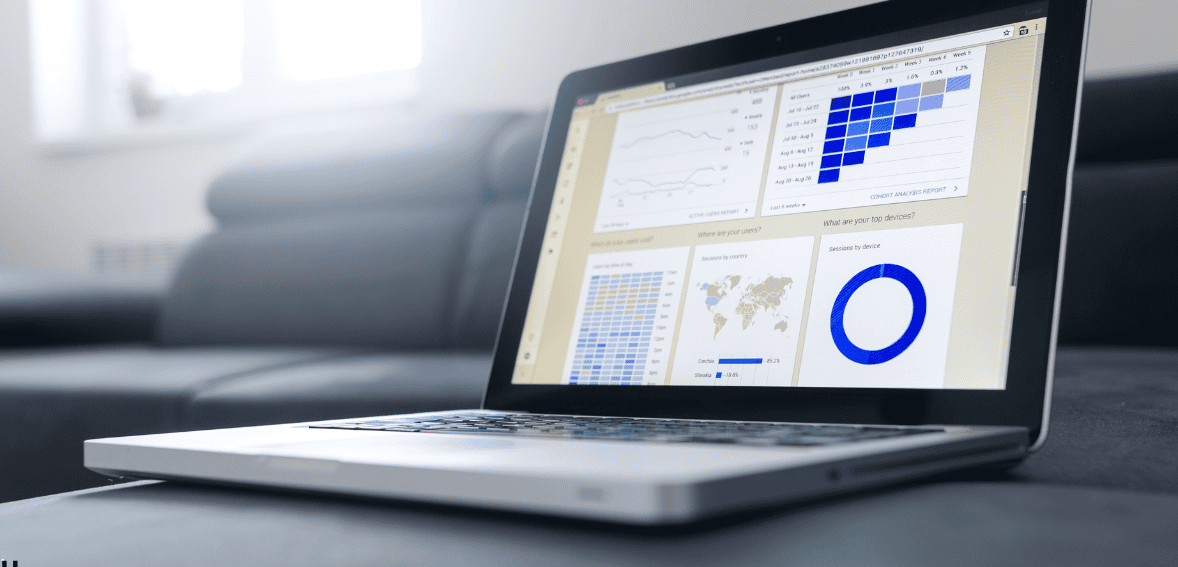
It helps you see the full story of every donor in seconds.
If You Build a Strong Donor Database in Your Nonprofit CRM, You Can
- Automatically record donations
- Track your pledges and recurring donations
- Segment your donors for more personalized emails
- Produce reports in minutes
- Measure the retention rate of your donors
You cannot do all of this easily with your spreadsheets. They require manual work, which can introduce errors into the system. Errors will cost time and, in some instances, the trust of your donors.
Moving to a nonprofit CRM helps you stop reacting to problems and start planning for growth. Instead of spending time chasing your data, you will be able to devote your efforts to building additional support.
Selecting a Cost-Effective CRM
Small nonprofits often have to think about how to save money, and evaluating which CRM solutions fit within their budget is one of their main concerns. Fortunately, affordable options are available.
The most important step is identifying which features will help you manage donors, track donations, and stay organized.
Look For
- Easy to track donors and donations.
- Easy to run reports.
- Easy to integrate email.
- Easy to use and navigate.
- Good customer support.
CRM Solutions for Small Organizations
- Discounts for nonprofits.
- Free trials.
- Budget-friendly entry-level plans.
When Evaluating What Nonprofit CRM Option to Choose, Consider
- How easy is it to learn?
- Is this appropriate for our size?
- Will this scale as we grow?
- Will their customer support be helpful?
One of the most underutilized resources is free trials. Try using a free trial to give 2-3 staff members access to the CRM solution and have them input sample data into the solution and run reports from that data to see what it would be like to work with the CRM solution.
The best CRM solution for a nonprofit is not necessarily the most expensive; it is the one with which your staff will actually be willing to engage.
Preparing and Cleaning Up Your Data
Before you can upgrade from spreadsheets, you first have to get your data cleaned up. This is a critical step. Cleaning data can be tedious, but it will save you from having problems later on.
To Clean Your Data, Follow These Steps
- Remove any duplicate entries.
- Make sure that each donor has only one unique record.
- Standardize the format for donors’ names.
- Pick an address format (if you use “Street” or “St,” do not use both).
- Check that email addresses are in the right field/column.
- Have a backup copy of your spreadsheet for safekeeping.
To identify duplicates in your donor database, sort it by last name or email. Make format decisions ahead of time to assure consistency, e.g., using either “St” or “Street” and not mixing the two options.
Cleaning up your data will help make migrating donor data into your new nonprofit CRM easier and will ensure that your new nonprofit CRM will have accurate information from day one.
Clean data will provide you with reliable reports.
Migrating Into the CRM

Donor data migration is not as hard as it sounds. Most systems can make this very simple.
Here’s the Typical Process
- Export your spreadsheet into a CSV.
- Upload your CSV into your CRM.
- Match each of your CSV columns to the correct field in your CRM:
- Name = Name
- Email = Email
- Donation Date = Donation Date
- Amount = Amount
- Review the inserted data and confirm that it was imported correctly.
Most nonprofit CRMs provide import wizards that will guide you through the import process, step by step; some also provide support with onboarding.
Do not rush through the process. Perform a small test import to ensure you have done everything correctly. Testing with 10 to 20 records will provide you with the confidence you need to do the entire donor database import.
By following this procedure carefully, you will reduce stress and avoid making mistakes.
Bringing Your Team Up to Speed
Your team will naturally feel some stress as they adjust to new technology. That’s okay! For your nonprofit to reap the benefits of having a CRM, your team must utilize the system consistently.
To Help Smooth the Transition, Here Are a Few Practical Steps You Can Take
- Choose a person in the organization who is familiar with the CRM to be the CRM champion.
- Provide your staff with a brief training session.
- Allow employees to focus on basic tasks before tackling advanced tasks.
- Reward your nonprofit with small celebrations when someone achieves a quick win.
Your CRM champion should have an in-depth understanding of the CRM solution. As the person who will provide training to other staff members, you will become the go-to person for all questions.
Many donor management software companies offer free webinars and tutorials that will provide you with the information you need as an organization. Take advantage of these resources.
Start with basic tasks.
For Example
- Recording a donation
- Updating a donor’s contact information
- Creating a basic donor report
Show your team how quickly they can retrieve a full donor history. Show them how easy it is to create a thank-you letter template. When you can demonstrate to your team that they will save time, they will build confidence in their new CRM.
While the onboarding process may take several weeks, the long-term benefits of implementing a CRM will be invaluable.
Long-Term Advantages Associated With Using A Nonprofit CRM
Upgrading your system is more than just making everything clear; it’s about improving growth.
Benefits of a Functional Donation Management System
- Clear insights into who makes donations.
- Better ways of keeping track of how to communicate with supporters.
- Stronger ability to keep your donor base.
- Quicker to complete reporting.
- More organized and professional records.
When you keep your records organized by using a good database as part of your overall plan, you will have a much better chance at accomplishing your mission. You can also spend much more time helping people and spend much less time trying to get things sorted out.
When Is It Time to Upgrade from a Spreadsheet Program?
Often, your frustration is the first sign that it is time to upgrade.
Consider These Questions
- Are you spending much longer generating reports than anticipated?
- Are you commonly seeing duplicate records?
- Are you allowing multiple employees to edit the same document?
- Do you have a reliable way to track the entire history of your donors?
- Are you planning for future growth?
The decision to upgrade is not about complexity. It is about being ready to grow.
A small nonprofit CRM keeps your team organized. It also helps staff feel confident in their daily work.
If you wait too long after identifying that it is time to make a switch from a spreadsheet program, you may be negatively affecting your efficiency and, ultimately, your ability to retain trust from your donors.
Conclusion
The use of a CRM for nonprofit organizations can provide a way to transition from disorganization to organization. Initially, a spreadsheet may prove useful; however, it’s not designed for long-term donor tracking.
When you choose the right CRM and prepare your data well, you create a strong foundation for growth. By taking the time to plan for the transition, these changes can be smooth and easy.
When your donor data is organized and easy to access, your team feels confident, your donors feel valued, and your mission moves forward without confusion. Upgrading from spreadsheets is not just a software change. It is a growth decision.
FAQ
What is a CRM, and do we really need one?
CRM systems function as one repository for all of your donor interactions. If you have ever struggled to track your donor communications and generate reports, then you should strongly consider using a CRM system.
Are there any no-cost or low-cost CRMs for nonprofits?
Yes, a wide variety of vendors offer both no-cost and/or low-cost CRM solutions. Additionally, many vendors offer trial periods and free versions of their product.
How difficult would it be to transfer our data to another CRM?
While it does take some effort to transfer your data from one CRM to another, it is typically manageable. The first thing you should do is clean up your data and then export & import data into the CRM using the tools that each CRM provides.
What is donor data migration?
Donor data migration is the process of moving all of your donor information from spreadsheets to a new CRM securely and accurately.
Will my small team have difficulties using a CRM?
The majority of CRM systems in use today are designed for ease of use. Therefore, once you provide your team with the necessary training & practice, they will adapt quickly and, in the long run, save you time.