
How to Secure Online Donation Forms
Secure online donation forms are essential for donor trust, payment safety, fraud prevention, and long-term fundraising success. When someone gives online, they are not only sharing money. They may also share a name, email address, phone number, billing information, donation preferences, and recurring gift instructions.
For nonprofits, charities, churches, schools, community groups, and volunteer-led organizations, that creates a serious responsibility. A donation form must make giving easy, but it also needs to protect donor payment details and personal information from misuse, fraud, unauthorized access, and accidental exposure.
Security also affects credibility. Donors are more likely to complete a gift when the donation page feels familiar, secure, well-branded, and transparent. If a form looks outdated, redirects strangely, loads without a secure connection, or asks for too much information, supporters may hesitate or abandon the process entirely.
The good news is that secure online donation forms do not need to be complicated. With the right platform, secure donation payment processing, careful access controls, fraud prevention tools, and good donor data habits, organizations can reduce risk while giving supporters a smoother experience.
This guide explains practical donation form security best practices that fundraising teams can use to protect donations, donor information, recurring gifts, and organizational reputation.
Why Donation Form Security Matters
Donation form security matters because online giving depends on trust. A donor may be ready to support a cause, but that confidence can disappear quickly if the donation page looks unsafe or behaves unexpectedly.
Browser warnings, missing SSL protection, suspicious redirects, unclear payment language, or a poorly branded form can make donors wonder whether their gift is going to the right place.
Insecure forms can also expose organizations to payment fraud. Fraudsters may use donation forms for card testing, where they submit many small transactions to check whether stolen card numbers work. This can lead to chargebacks, processor warnings, higher payment risk, and extra administrative work for staff or volunteers.
Poor online donation form security can also put donor data at risk. Even when payment details are handled by a payment processor, donor names, emails, addresses, giving history, tribute notes, and recurring gift preferences still need protection.
If that information is stored carelessly, shared in unsecured spreadsheets, or accessed by too many people, the organization increases the chance of accidental exposure.
Security is also a donor experience issue. A safe form should feel easy, clear, and predictable. Donors should know what they are giving, how their payment will be handled, whether the gift is one-time or recurring, and how they will receive confirmation.
Strong security supports fundraising continuity. If recurring donation security is weak, updates to saved payment methods, cancellation requests, and failed-payment recovery can become risky or unreliable. That can interrupt dependable giving programs and reduce donor confidence.
Common Security Risks in Online Donation Forms
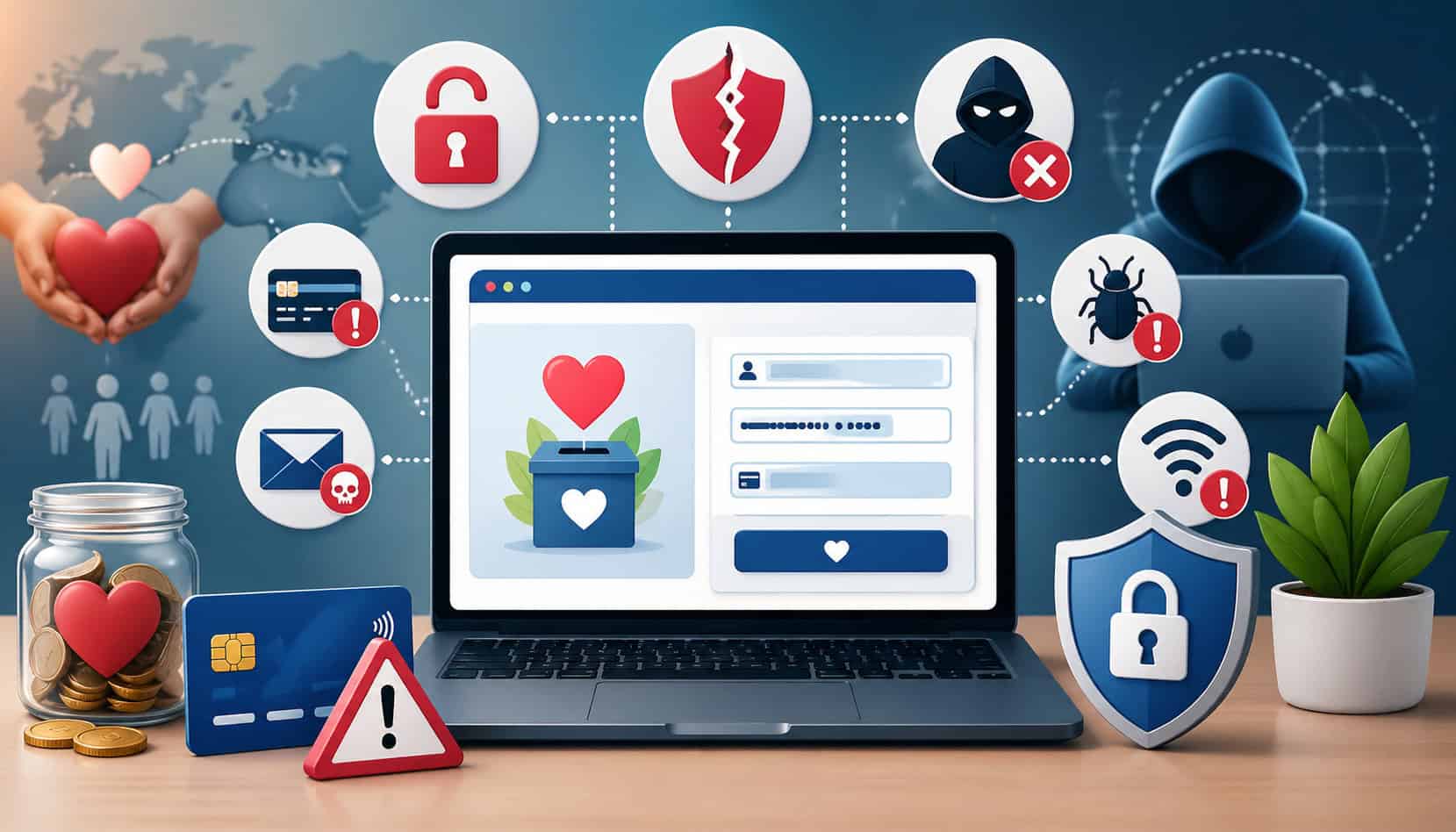
Online fundraising security starts with knowing where risks appear. Many organizations focus only on the payment box, but secure online donation forms involve the entire donation journey: the link a donor clicks, the donation page, the payment processor, confirmation emails, donor records, admin accounts, and follow-up communications.
One common risk is weak payment processing. If an organization uses a form that stores card details directly or does not rely on PCI-compliant donation forms, it may create unnecessary exposure. Nonprofits should generally avoid handling raw card data themselves and use trusted payment processors designed for secure donation payment processing.
Missing SSL protection is another major concern. Without an SSL certificate, information sent between the donor’s browser and the donation page may not be securely protected in transit. Even when a form does not collect card information directly, donors may leave if the page shows a browser warning or does not display a secure connection.
Fake donation attempts and bot traffic are also common. Fraudsters may submit repeated small gifts, use fake donor names, test stolen cards, or target forms that lack CAPTCHA, rate limits, address verification, or suspicious activity alerts.
Poor password practices create another layer of risk. Shared admin logins, weak passwords, reused passwords, and missing multi-factor authentication can allow unauthorized users to access donor records or change donation settings.
Outdated plugins, themes, scripts, or form tools can also create vulnerabilities. This is especially important for organizations using website-based forms that depend on multiple integrations.
Other risks include phishing links that imitate real donation pages, unsecured donor spreadsheets, overly broad staff access, lack of audit trails, and unclear internal procedures for handling donor information.
Donation Form Security Best Practices
Donations from security best practices combine technology, policies, and everyday habits. The goal is to make giving simple for donors while reducing opportunities for fraud, data exposure, and payment errors.
Start with secure page connections. Every donation page should load over HTTPS and use a valid SSL certificate. This protects information in transit and helps donors see that they are on a secure page. A browser warning can quickly damage confidence, even if the organization is legitimate.
Next, use PCI-compliant donation forms and payment processing. Nonprofits should not store card numbers directly unless they have the systems, controls, and compliance responsibilities to do so safely.
A trusted payment processor can tokenize card details, handle sensitive payment data, and reduce the organization’s direct exposure.
Fraud filters are also important. Tools such as CAPTCHA, rate limits, card verification, address checks, velocity controls, and suspicious transaction alerts can help protect donation forms from fraud. These tools are especially useful for preventing card testing and bot-driven attacks.
Secure admin access is just as important as securing the donor-facing page. Use strong passwords, unique logins, multi-factor authentication, user roles, and periodic access reviews. Remove accounts for former volunteers, contractors, staff members, or board members who no longer need access.
Keep software updated. If your donation form is embedded on a website, review plugins, themes, scripts, and integrations regularly. Outdated tools can create openings that have nothing to do with the payment processor itself.
Limit the data you collect. The less unnecessary information you request, the less you need to protect. Shorter forms can also improve completion rates.
Clear privacy language helps donors understand how their information will be used. Link to a privacy policy and explain important choices, such as whether donors can give anonymously, opt into communications, or manage recurring gifts.
For organizations comparing donation tools, reviewing features for donation pages, recurring giving, donor records, and receipts can help teams think through which security and fundraising functions they need in one workflow.
| Security Practice | What It Protects | Why It Matters |
| SSL certificate and HTTPS | Data sent between donor and donation page | Helps prevent interception and avoids browser security warnings |
| PCI-compliant payment processing | Cardholder payment details | Reduces direct handling of sensitive card data |
| Fraud filters | Payment form and processor account | Helps detect card testing, bots, and suspicious transactions |
| CAPTCHA or bot protection | Donation form availability and payment flow | Reduces automated fake submissions |
| Multi-factor authentication | Admin accounts and donor records | Adds protection if a password is compromised |
| Role-based access | Donor data and donation settings | Limits access to people who truly need it |
| Software updates | Website, plugins, scripts, and integrations | Fixes known weaknesses before they are exploited |
| Limited data collection | Donor privacy | Reduces exposure and improves form completion |
| Secure receipts | Donor confirmation and recordkeeping | Helps donors verify their gift safely |
| Access reviews | Internal systems and donor files | Removes outdated or unnecessary permissions |
Use SSL and Secure Page Connections
Secure online donation forms should always load through a secure connection. A secure URL begins with HTTPS, and browsers usually show a lock or security indicator near the address bar. This matters because donors may enter personal details, contact information, billing addresses, donation notes, or recurring gift preferences before the payment is completed.
An SSL certificate helps protect information as it moves between the donor’s browser and the website. Without it, donors may see a browser warning that the page is not secure. Even highly motivated supporters may stop before giving if the page looks unsafe.
SSL also supports credibility. Donors expect secure donation forms to behave like other trusted payment experiences. If the donation form opens on a page with broken images, mixed secure and non-secure content, or a confusing redirect, the donor may not feel comfortable continuing.
Organizations should check the full path to the form, not only the final payment page. Email links, social media links, QR codes, campaign landing pages, embedded forms, and confirmation pages should all direct donors to secure, accurate pages.
Use PCI-Compliant Payment Processing
PCI compliance matters because donation forms often involve card payments. PCI-compliant donation forms are designed to handle payment data according to payment security standards. For most organizations, the safest approach is to use a trusted payment processor rather than collecting, storing, or transmitting card details directly.
This is especially important for smaller teams and volunteer-led groups. Managing cardholder data securely requires technical controls, monitoring, policies, and ongoing responsibilities. A secure payment processor can reduce that burden by tokenizing payment details and managing sensitive card data within a protected environment.
Tokenization is helpful because it replaces sensitive card details with a secure token. The organization can process future recurring gifts or payment updates without storing the actual card number in its own systems.
Secure donation payment processing also helps with receipts, failed payments, refunds, disputes, and donor records. When these functions are connected properly, staff can manage fundraising without copying sensitive payment details into emails, spreadsheets, or notes.
Add Fraud and Bot Protection
Donation forms can be targeted by bots and fraudsters because they often accept small payment amounts quickly. A common pattern is card testing, where someone submits many small transactions to see whether stolen card numbers are active. If the form lacks controls, this can lead to chargebacks, failed payment spikes, processor concerns, and extra fees.
Fraud and bot protection can include CAPTCHA, rate limits, address verification, card verification, suspicious activity alerts, and automated rules that block repeated failed attempts. These tools help protect donation forms from fraud without making the process too difficult for genuine donors.
Look for patterns that suggest automation. Examples include many small gifts in a short period, repeated failed payments, mismatched billing details, strange donor names, multiple transactions from the same IP address, or sudden spikes at unusual times.
Balance is important. Too much friction can reduce completed gifts, while too little protection can invite abuse. The best setup protects the form quietly in the background while adding extra checks only when activity looks suspicious.
How to Protect Donor Data
Donor data protection goes beyond payment security. Even when card details are handled by a payment processor, organizations still collect and manage personal information. That may include names, email addresses, phone numbers, mailing addresses, donation amounts, giving history, notes, campaign participation, recurring gift details, and communication preferences.
The first step is to collect only what the organization truly needs. A donor making a simple gift should not have to provide unnecessary personal information. Every extra field increases friction and creates more data to protect.
Next, store donor records in a secure system rather than scattered files. Unsecured spreadsheets, personal email inboxes, shared drives with open permissions, and copied lists can create unnecessary risk. If donor exports are needed, limit who can download them and delete temporary files when they are no longer required.
Access control is critical. Not every volunteer or staff member needs full access to donor records. Use role-based permissions so people can only view or edit the information required for their responsibilities.
Strong passwords and multi-factor authentication should be standard for anyone with admin access. Password sharing should be avoided. Each user should have a unique login so activity can be traced if something changes unexpectedly.
Organizations should also create internal rules for donor data handling. This can include how to send receipts, how to respond to donor update requests, how to verify identity before changing recurring gifts, and how to report suspicious activity.
For teams managing donor activity, fundraising campaigns, and giving records, reviewing how a platform supports donor management and reporting workflows can help reduce risky manual processes.
Limit Access to Donor Records
Only authorized staff and volunteers should access donor records. This may sound obvious, but many organizations gradually expand access over time and forget to remove old users. A board member, event volunteer, temporary campaign helper, or former staff member may still have access long after the need has passed.
User roles help reduce that risk. For example, a volunteer helping with thank-you calls may need names and contact details, but not payment settings or full giving history. A finance team member may need transaction reports, but not the ability to change campaign page design. A fundraiser may need donor notes, but not administrative settings.
Audit trails are also valuable. They help show who logged in, what records were changed, and when updates happened. This is important if a donor says their recurring gift was changed, canceled, or updated without permission.
Permission settings should be reviewed regularly. Remove inactive users, reduce broad permissions, and make sure each person has access based on current responsibilities.
Collect Only the Information You Need
Shorter donation forms can be both safer and more effective. When a form asks for too many details, donors may feel uncomfortable or abandon the process. From a security perspective, unnecessary fields also create unnecessary data exposure.
Start by identifying the information needed to process the gift, send a receipt, and maintain accurate records. For many donations, that may be name, email address, donation amount, payment information, and limited billing details. Additional fields should have a clear purpose.
Optional fields can be useful, but they should not overwhelm donors. For example, tribute gift details, mailing address, phone number, employer matching information, or campaign notes may be helpful in certain situations. However, they should be used thoughtfully.
Collecting less data also makes incident response easier. If a form is ever misconfigured, exported incorrectly, or accessed by the wrong person, less unnecessary information is at risk.
How to Secure Recurring Donation Forms
Recurring donation security requires extra care because these gifts continue over time. A one-time donation is completed once, but a recurring gift involves saved payment tokens, donor preferences, renewal schedules, receipts, update links, cancellation requests, failed payment recovery, and ongoing communication.
The safest recurring donation systems do not store raw card details in the organization’s database. Instead, they use secure payment tokens managed by a payment processor. This allows future gifts to run without exposing the actual card number to staff or volunteers.
Donors should receive clear confirmation when they start a recurring gift. The confirmation should include the amount, frequency, start date, receipt expectations, and how to request changes. This reduces confusion and prevents disputes.
Update links should be handled carefully. If donors can update payment methods or recurring gift details through a link, that link should be secure and designed to prevent unauthorized changes. Staff should also verify donor identity before making changes manually.
Cancellation requests should be handled respectfully and securely. A donor should not have to send sensitive payment information to cancel or update a recurring gift. Instead, the organization should use secure account tools, verified support workflows, or protected admin procedures.
Recurring donation security also includes monitoring failed payments. A failed recurring gift may happen because of an expired card, insufficient funds, or a changed account. However, repeated unusual failures can also signal fraud or system issues.
Automated receipts are important because they help donors track their giving and quickly notice anything unexpected. Teams using recurring giving may find it helpful to review tools that support one-time and recurring donations in the same donor record.
How to Prevent Donation Form Fraud
Donation fraud prevention starts with recognizing common patterns. Fraudsters often look for forms that allow fast, repeated transactions with minimal verification. Donation forms may be attractive targets because they allow small payments and may not always be monitored closely.
One common pattern is card testing. This often appears as many small gifts, sometimes for very low amounts, submitted in quick succession. The donor names may look fake, the email addresses may be random, and the billing details may fail verification.
Another warning sign is a sudden spike in failed payments. While occasional declines are normal, repeated declines from similar devices, IP addresses, or donation amounts may suggest automated testing.
Mismatched billing details can also indicate risk. Address verification, card verification codes, processor risk scoring, and fraud alerts can help detect suspicious attempts before they become costly.
Suspicious IP activity matters too. Many repeated submissions from the same IP address, unusual locations, or known proxy patterns can point to bot activity. Rate limits can help slow this down.
Practical steps to protect donation forms from fraud include:
- Use CAPTCHA or invisible bot protection.
- Enable processor fraud filters.
- Set alerts for unusual donation spikes.
- Monitor repeated failed transactions.
- Use minimum donation amounts when appropriate.
- Require card verification codes.
- Review refunds and disputes quickly.
- Block suspicious IPs when necessary.
- Train staff to recognize card testing patterns.
Fraud prevention should not punish real donors. The goal is to create a secure donation experience that remains simple for genuine supporters while making abuse harder for bots and fraudsters.
Secure Donation Forms and Donor Trust Signals
Secure donation forms should not only be safe; they should feel safe to donors. Trust signals help supporters understand that they are on the right page, giving through a legitimate organization, and using a secure payment process.
Brand consistency is one of the strongest trust signals. The donation page should include the organization’s name, logo, campaign name, and recognizable design. If a donor clicks from an email or social post and lands on a page that looks unrelated, they may worry that the link is fake.
Secure payment language is also helpful. A short note near the payment section can explain that payments are processed securely and that donor information is protected. Avoid overwhelming donors with technical details, but give enough reassurance to support confidence.
Privacy policy links matter. Donors should be able to understand how their information will be used, whether they may receive updates, and how they can contact the organization with questions.
Clean form design improves trust. A cluttered form with too many fields, unclear amounts, broken images, or confusing error messages can feel risky. A focused form with clear donation options, recurring gift choices, and straightforward instructions feels more reliable.
Confirmation pages and automated receipts are also trust signals. After giving, donors should immediately know that their donation was received. A receipt should include the gift amount, date, organization name, and relevant details.
Clear contact information is important. Donors should know how to reach the organization if they made a mistake, need a receipt, want to update a recurring gift, or have a security concern.
Security Checklist Before Publishing a Donation Form
Before publishing or sharing a donation page, use a practical checklist. This is especially important before major campaigns, events, giving days, pledge drives, emergency appeals, school fundraisers, church campaigns, and community drives.
Start with the secure URL. Confirm that the donation page loads with HTTPS and does not show browser warnings. Test every link that leads to the form, including website buttons, emails, QR codes, text messages, social posts, and campaign pages.
Next, check the payment processor setup. Make sure the processor account is active, connected to the correct organization, configured for the right donation types, and able to accept the payment methods you plan to offer.
Run test transactions if your system allows it. Confirm that one-time gifts, recurring gifts, suggested amounts, custom amounts, donor-covered fee options, and tribute fields work as expected.
Test mobile giving. Many donors give from phones, so the form should be easy to read, complete, and submit on smaller screens.
Review receipts. Confirm that donors receive accurate confirmation emails and that the receipt includes the correct amount, campaign, organization name, and contact information.
Check admin permissions. Remove unnecessary users, confirm role settings, enable multi-factor authentication, and make sure no one is using shared logins.
Review fraud settings. Turn on available fraud filters, alerts, CAPTCHA, rate limits, and verification tools. Make sure someone knows how to monitor failed transactions.
Confirm privacy and security language. Add links to the privacy policy, clarify communication preferences, and avoid collecting unnecessary information.
A final checklist may include:
- Secure HTTPS donation URL
- Valid SSL certificate
- Correct payment processor connection
- PCI-compliant payment flow
- Test one-time transaction
- Test recurring transaction
- Mobile donation test
- Receipt test
- Confirmation page test
- Admin permission review
- Multi-factor authentication enabled
- Fraud filters configured
- Privacy policy linked
- Staff or volunteer training completed
- Backup or export process reviewed
- Failed transaction monitoring assigned
Common Mistakes to Avoid
Many donations form security problems come from simple mistakes rather than advanced attacks. The most common issue is collecting too much data. Long forms can reduce donations and increase risk. If a field does not support payment, receipts, donor stewardship, or campaign needs, reconsider whether it belongs on the form.
Another mistake is using outdated plugins or tools. Donation forms embedded on websites may depend on plugins, themes, scripts, or integrations. If these are not updated, the form may become vulnerable even if the payment processor is secure.
Sharing admin logins is also risky. When multiple people use the same account, it becomes difficult to know who made changes. Shared passwords are also more likely to be stored insecurely or sent through unsafe channels.
Skipping payment testing can create fundraising problems. A form may look correct but fail during checkout, send the wrong receipt, process recurring gifts incorrectly, or direct donors to the wrong campaign.
Ignoring failed transaction patterns is another mistake. Declines happen, but repeated failures may signal card testing or bot activity. Someone should review failed payments during active campaigns.
Organizations should also avoid giving too many people full access. Volunteers may need limited information for a short time, but they usually do not need permanent access to complete donor records or payment settings.
Weak passwords remain a major risk. Admin accounts should use strong, unique passwords and multi-factor authentication. Passwords should not be reused across email, website, payment, and donor management systems.
Another overlooked issue is using unsecured public Wi-Fi for admin work. Staff and volunteers should avoid accessing donation systems from unknown networks, especially when managing donor records or payment-related settings.
FAQs
How do I secure an online donation form?
Secure an online donation form by using HTTPS, an SSL certificate, PCI-compliant payment processing, fraud filters, strong passwords, multi-factor authentication, and role-based admin access.
What makes a donation form safe for donors?
A safe donation form uses secure connections, trusted payment processing, clear branding, privacy information, accurate donation details, and automated confirmation receipts.
Do donation forms need SSL?
Yes. Donation forms should use SSL so donor information is protected through HTTPS. SSL also helps prevent browser security warnings that may cause donors to abandon the form.
What does PCI compliance mean for nonprofits?
PCI compliance means using payment security practices that protect cardholder data. Nonprofits should use PCI-compliant donation forms and trusted payment processors instead of storing card details directly.
How can nonprofits protect donor data?
Nonprofits can protect donor data by collecting only necessary information, limiting access, using strong passwords, enabling multi-factor authentication, avoiding unsecured spreadsheets, and reviewing permissions regularly.
How do I prevent fraud on donation forms?
Prevent donation form fraud with CAPTCHA, bot protection, rate limits, fraud filters, address checks, card verification, failed transaction monitoring, and alerts for suspicious activity.
Are recurring donations secure?
Recurring donations can be secure when processed through trusted payment systems that use tokenization, secure update links, clear receipts, and protected donor account management.
What should donors look for before giving online?
Donors should look for HTTPS, recognizable organization branding, clear donation details, privacy information, secure payment language, and confirmation receipts before giving online.
Conclusion
Secure online donation forms protect more than payments. They protect donor trust, personal information, recurring giving relationships, fundraising continuity, and organizational credibility.
Strong security begins with secure page connections, SSL protection, PCI-compliant payment processing, fraud prevention, and careful donor data practices. It also depends on limited access, strong passwords, multi-factor authentication, regular testing, clear receipts, and visible trust signals that help donors feel confident when giving.
For nonprofit leaders, fundraisers, volunteers, charities, churches, schools, and community organizations, online donation form security should be part of everyday stewardship. When supporters trust the giving process, they are more likely to complete donations, continue recurring gifts, and stay connected to the mission.
A secure donation form is not only a technical safeguard. It is a promise to donors that their generosity, information, and confidence are being handled with care.