

Nonprofit Fundraising Tools You Can Use at No Cost (2026 Guide + Setup Tips)
If you’re searching for nonprofit fundraising tools free (and actually usable), you’re not alone. Most small-to-mid organizations—plus schools, community groups, and faith organizations—are trying to raise more without adding yet another monthly subscription.
The good news: you can build a strong fundraising system with free fundraising tools for nonprofits and “pay-as-you-go” options that only charge per transaction.
The tricky part is that “free” can mean three different things:
- Free tier: A software plan that costs $0/month, but has limits (features, contacts, exports, branding, automation).
- Nonprofit program: A special discount or fully free upgrade for eligible organizations (often requires verification).
- Pay-as-you-go: No monthly fee, but you’ll pay payment processing fees and sometimes payout, add-on, or platform fees.
This 2026 guide is designed to help you choose no-cost fundraising software for nonprofits that fits your goals and protects donor trust. I’ll explain what free really means, call out honest limitations, and give setup steps you can implement this week—without hype, without inflated claims, and without locking you into tools you’ll outgrow.
What “No Cost” Really Means (and what you’ll still pay)
A true “$0 forever” fundraising setup is rare because every online donation has underlying costs—card networks, fraud screening, bank transfers, and chargeback handling. Even when a platform advertises “free,” it usually means no monthly subscription (not zero costs).
Here’s the clearest way to think about it:
Free Tier vs Nonprofit Program vs Pay-as-you-go
Free tier tools help you start quickly—basic donation forms, landing pages, emails, or CRM records. The “gotcha” is almost always limited: fewer automation steps, fewer contacts, fewer exports, fewer integrations, or forced branding.
Nonprofit programs can be the best value when they unlock paid features at no cost—especially for design tools and productivity. But these programs often require verification and may change rules year to year. (Always re-check plan terms before committing.) For example, some design platforms offer free premium access through nonprofit programs.
Pay-as-you-go is common for donation tools: you’ll pay processing fees and sometimes a platform fee, but you avoid a subscription. Some platforms offset their costs with optional donor tips—meaning your organization may pay $0 in platform fees if tips remain enabled.
Payment processing fees explained (simple version)
When a donor gives online, fees typically fall into these buckets:
- Processing fees: Charged by payment processors/card networks (often a percentage + small fixed amount).
- Platform fees: Charged by the fundraising software provider (sometimes $0 if donor tips are enabled).
- Payout fees: Charged to transfer funds to your bank (some platforms charge for instant payouts).
- Chargeback fees: Charged when a donor disputes a transaction (rare, but real).
- Add-on fees: Text messaging, advanced automation, integrations, or premium support.
Some platforms position themselves as “fee-free” by covering processing fees and relying on optional donor tips—still worth evaluating carefully for donor experience and sustainability.
Comparison Table #1: Free tool categories + best use cases
| Free tool category | Best use case | Examples of “best free nonprofit fundraising tools” to consider (check current plan details) |
|---|---|---|
| Donation forms / checkout links | Always-on giving page, mobile-friendly giving | Donorbox (starter), Givebutter, Zeffy, payment links + simple form builder |
| Crowdfunding / campaign pages | Time-bound appeals, story + progress bar | Givebutter campaigns, Donorbox crowdfunding, Zeffy campaigns |
| Peer-to-peer fundraising tools | Supporter-led fundraising pages | Givebutter P2P, Donorbox P2P (plan-dependent) |
| Email marketing tools for nonprofits | Donor updates + appeals + welcome series | Brevo, MailerLite, Sender, limited Mailchimp free (check current limits) |
| Donor management (CRM) free options | Basic donor records + notes + tasks | HubSpot free CRM, Airtable, Google Sheets templates, open-source CRMs (self-host) |
| Design tools | Campaign graphics, flyers, social posts | Canva nonprofit program, Adobe Express (plan-dependent) |
| Fundraising landing pages | One campaign page, fast mobile load | Carrd, Google Sites, WordPress/Wix free tiers (branding limits) |
| Social media fundraising tools | Native donate buttons + social proof | Meta fundraising tools (approval required), platform-native donation stickers/features |
| Event RSVPs / ticketing tools | Free RSVP lists or paid ticket events | Eventbrite (free events), Zeffy ticketing, Ticket Tailor (free events under limits) |
| Analytics & reporting | Track conversions + traffic sources | GA4, Looker Studio, basic platform reports |
Hidden costs checklist (so donors don’t get surprised)
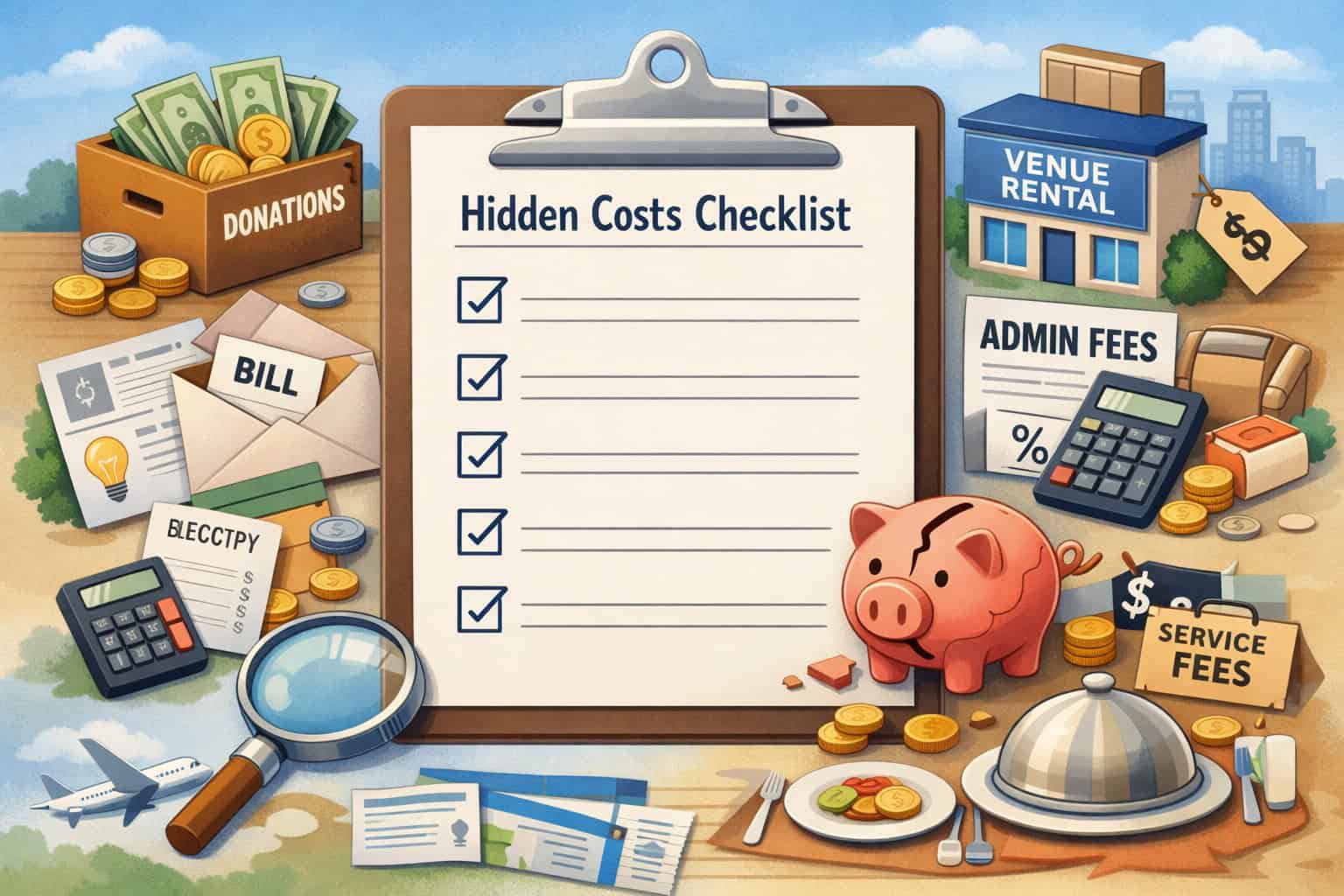
“Free” becomes expensive when hidden costs show up at checkout or after you scale. Your goal isn’t just minimizing costs—it’s fee transparency for donors and predictable bookkeeping for your team.
Comparison Table #2: Hidden costs checklist
| Potential cost | What it is | Where it shows up | How to reduce surprises |
|---|---|---|---|
| Processing fees | Card/bank processing costs | Every online donation | Offer optional “cover fees” checkbox, and clearly label it |
| Platform fees | The tool’s fee for using the platform | Per donation or monthly | Choose tools with $0/month options; confirm if donor tips affect fees |
| Payout/transfer fees | Fee to move money to your bank faster | Optional “instant payout” | Default to standard payouts unless speed is critical |
| Chargebacks | Disputed donation handling fee | Rare but can happen | Use receipts + clear descriptors + donor support email |
| Add-ons | Text messaging, integrations, advanced automation | When you need “one extra feature” | Decide upfront what’s “must-have” vs “nice-to-have” |
| Ticketing fees | Fees on paid tickets/add-ons | Event ticket checkout | Compare who pays fees: org vs attendee; read ticketing fee policy |
| Tips/gratuities | Optional donor tips to fund the platform | At checkout | Ensure tips are clearly optional; test donor flow |
| Refund fees | Non-refundable processing costs | When issuing refunds | Set refund policy; train volunteers on exceptions |
| ACH fees | Bank-transfer processing (often lower than cards) | ACH donations | Offer ACH for larger gifts and recurring giving where available |
Pro Tip: Before you share any donation link publicly, do two test donations: one small card donation and one ACH (if enabled). Screenshot every fee/tip screen so your team knows exactly what donors see.
Essential free tool categories (with options + setup tips)
This is the practical heart of your no-cost fundraising software for nonprofits stack. Below are the essential categories, with 2–4 common options each. I’ll also point out limitations and quick setup wins.
Donation form tools and checkout links (no monthly fee)
If you do nothing else, set up a clean, mobile-first donation form. Many organizations lose gifts because the “Donate” experience is clunky or confusing.
Options to consider (check current plan details):
- Givebutter: Often positioned as free-to-use with optional donor tips and configurable fee coverage.
- Donorbox: Offers donation forms and hosted pages; fees depend on plan and features.
- Zeffy: Positions itself as covering fees via optional donor tips and a fee-free model for nonprofits.
- Payment links + simple form builder: A lightweight approach if you already have a payment processor and just need a clean giving link.
Best for: Always-on giving, recurring donations setup, quick mobile donations, and reducing friction.
Key free features (commonly): Hosted donation page, embeddable widget/link, suggested amounts, basic donor fields, receipts, and reporting.
Limitations & gotchas: Branding limits, export limits, plan-based features (like advanced recurring tools), and donor-tip UX (make sure it’s transparent and doesn’t feel forced). Optional-tip models are legitimate—but you should test how it looks and feels to donors.
Setup quick wins:
- Keep the form to 6 fields or fewer (name, email, amount, payment details, optional dedication, optional mailing address).
- Add 3–5 suggested amounts with one labeled “Most common.”
- Turn on recurring with a simple prompt: “Make this monthly to help sustain our work.”
- Add a short “Where your gift goes” line under the button.
Pro Tip: Put your donation link in exactly three places first: your website header, your email signature, and your social profile link. Consistency beats complexity.
Crowdfunding tools for nonprofits (campaign pages)
Crowdfunding works best when there’s a clear goal and a clear reason why now. Even if you hate “fundraising pages,” donors love a story + progress bar they can understand in five seconds.
Options to consider (check current plan details):
- Givebutter campaigns (built-in pages + updates).
- Donorbox crowdfunding pages (hosted campaign-style pages).
- Zeffy campaign pages (positioned as fee-free with optional tips).
- General crowdfunding platforms with nonprofit features (evaluate fees + payout policies carefully).
Best for: Time-bound appeals, program launches, emergency needs, and capital items where you can show milestones.
Key free features (commonly): Goal thermometer, updates, donor wall, social sharing, and basic reporting.
Limitations & gotchas: Some platforms encourage “tips” at checkout; some have payout timing rules; and some donors may prefer giving directly on your website instead of on a third-party page.
Setup quick wins:
- Use a campaign headline that answers: “What will this fund?”
- Post one update per week (photos + one paragraph).
- Create a “share kit” (3 captions, 5 photos, 1 short video).
- Add two giving options: one-time and monthly.
Peer-to-peer fundraising tools (supporters raise for you)
Peer-to-peer (P2P) is powerful because it turns your supporters into storytellers. The goal isn’t “going viral.” The goal is enabling 20–50 people to raise modest amounts through their personal networks—consistently.
Options to consider (check current plan details):
- Givebutter P2P as part of its fundraising suite.
- Donorbox peer-to-peer (availability depends on plan/features).
- Simple DIY P2P: One central campaign page + a supporter toolkit + tracked referral links (works when budgets are tight).
Best for: Walk/run events, birthdays, memorial campaigns, school and team fundraisers, community challenges.
Key free features (commonly): Personal fundraising pages, team pages, supporter tracking, social share buttons, and notifications.
Limitations & gotchas: P2P requires coaching. Without templates and reminders, supporters stall after the first ask. Also, you need a plan for donor stewardship—new donors acquired via P2P should be welcomed into your email list and thanked quickly.
Setup quick wins:
- Provide a volunteer fundraising toolkit: sample texts, captions, a 30-second story script, and FAQs.
- Set a “starter goal” that feels doable (and let supporters change it).
- Schedule two reminder messages: Day 3 and Day 10 after sign-up.
Pro Tip: Your best P2P metric isn’t total raised. It’s # of active fundraisers who made at least one ask. Coach that behavior, and revenue follows.
Email marketing tools for nonprofits (newsletters + sequences)
Email is still your highest-control channel: algorithms don’t decide who sees it. Your goal is a reliable rhythm: updates + gratitude + occasional clear asks.
Options to consider (check current plan details):
- Brevo (often strong for automation on entry tiers).
- MailerLite (clean builder + segments).
- Sender (generous sending limits on some plans).
- Mailchimp free tier (recent reporting suggests tighter free limits—verify current plan details before building your whole system on it).
Best for: Donation appeals, donor retention, volunteer recruitment, event invites, and impact storytelling.
Key free features (commonly): Email templates, basic list management, signup forms, limited automation, and reporting.
Limitations & gotchas: Free plans often restrict automation (welcome series, donor thank-you sequences) or limit contacts. If you can’t automate a basic welcome, you’ll spend more staff time manually following up.
Setup quick wins:
- Build a 3-email welcome series: (1) Thank you + mission, (2) One story, (3) Clear next step.
- Tag people by source: “donation page,” “event,” “P2P,” “volunteer.”
- Use one consistent “From” name (a real person) for better trust.
Social media fundraising tools (native + low-lift)
Social is best used to drive traffic to your best donation experience or to use native fundraising features where supporters already engage.
Options to consider (check current plan details):
- Meta fundraising tools (donate buttons and fundraising features; approval required and eligibility can vary).
- Platform-native donation features (where available) that reduce friction.
- Link-in-bio tools (free tiers) to highlight your donation page, event page, and volunteer signup.
Best for: Short campaigns, urgent needs, P2P amplification, and real-time event fundraising.
Key free features (commonly): Donate buttons (once approved), campaign sharing, post insights, and simple audience engagement tools.
Limitations & gotchas: Approval processes can be slow, features can change, and you may not fully control donor data or the donor journey on every platform. Treat social-native tools as an acquisition channel, not your “home base.”
Setup quick wins:
- Pin a post with your one best donation link.
- Post 3 formats: photo story, 20-second video, and a simple graphic.
- Use a weekly “impact proof” post (quote + photo + one concrete outcome).
Donor management (CRM) free options (and the “starter reality”)
You don’t need a perfect CRM on day one. You do need a system that prevents donor data from living only in someone’s inbox.
Options to consider (check current plan details):
- HubSpot free CRM (flexible records + tasks).
- Airtable (database-style sheets; great for campaign tracking).
- Google Sheets (simple, shared, and workable with discipline).
- Open-source nonprofit CRMs (powerful, but require technical setup/hosting).
Best for: Tracking donors, recording conversations, managing pledges, logging event attendees, and running basic reports.
Key free features (commonly): Contact records, notes, tasks, basic pipeline tracking, exports (sometimes limited), and integrations (often limited).
Limitations & gotchas: Free CRMs may not handle donation receipts automation by themselves. Also, “free” open-source systems can become “costly” if you need paid hosting or tech support.
Setup quick wins:
- Define 6 core fields: Name, Email, Phone, Last gift date, Last gift amount, Relationship owner.
- Create 3 tags: New donor, Returning donor, Monthly donor.
- Set a weekly 30-minute hygiene habit: duplicates + missing emails + bounced contacts.
Pro Tip: If you can export your donor list anytime (CSV), you’re safer. If you can’t, that’s vendor lock-in—free or not.
Design tools for campaign creatives (look credible without hiring)
Design doesn’t need to be fancy. It needs to be consistent and readable on a phone.
Options to consider (check current plan details):
- Canva nonprofit program (offers premium access for eligible organizations).
- Adobe Express (varies by plan and eligibility).
- Google Slides (surprisingly effective for simple social graphics).
- CapCut / basic video editors (free tiers for short clips).
Best for: Social posts, flyers, event graphics, campaign headers, and short videos.
Key free features (commonly): Templates, brand kits (sometimes paid), resizing (often paid), collaboration (varies).
Limitations & gotchas: Brand kits and resizing are frequently paywalled. Nonprofit programs can be amazing, but require verification and may have restrictions.
Setup quick wins:
- Create 5 templates: appeal post, thank-you post, event post, volunteer ask, impact update.
- Use 2 fonts max and a consistent logo placement.
- Make one “photo rule”: only real program photos (or clear, rights-safe images).
Fundraising landing pages and website tools (fast + focused)
Your main website can be simple. Your campaign landing page must be focused.
Options to consider (check current plan details):
- Google Sites (simple, fast, easy).
- Card (low-cost/low-lift single pages; free tier exists).
- WordPress/Wix free tiers (can work, but expect platform branding and feature limits).
- Hosted pages from donation platforms (quickest route for campaigns).
Best for: A dedicated donation page, campaign pages, event pages, and volunteer signups.
Key free features (commonly): Basic page builder, mobile responsiveness, simple embeds, and sharing.
Limitations & gotchas: Free tiers often force branded domains or ads, which can reduce trust. If your donation form is hosted elsewhere, keep the click-path short and clearly labeled.
Setup quick wins:
- One page = one action. Remove extra menu items on campaign pages.
- Put your donate button above the fold.
- Add a short FAQ: “Is my donation secure?” “Will I get a receipt?” “Can I give monthly?”
Event RSVPs and ticketing tools (free events vs paid tickets)
Event logistics can destroy your team’s time if you don’t standardize. For free events, you can keep it simple. For paid ticket events, fees matter a lot.
Options to consider (check current plan details):
- Eventbrite: commonly free for free tickets; paid tickets typically incur ticketing fees—verify in your organizer settings and policy pages.
- Zeffy ticketing: positioned as fee-free for nonprofits.
- Ticket Tailor: often free for many organizers running free events under annual ticket thresholds (confirm current limits).
- Google Forms + Sheets: workable for RSVP-only gatherings.
Best for: Galas, community events, workshops, school fundraisers, faith gatherings, and volunteer trainings.
Key free features (commonly): RSVP list, check-in tools, email confirmations, basic attendee reporting.
Limitations & gotchas: Paid events create more support needs: refunds, transfers, seating, tax/receipt language, and chargebacks. Make sure your confirmation emails include contact info and clear policies.
Setup quick wins:
- Create two ticket types: “General” and “Supporter.”
- Add an optional donation add-on at checkout.
- Send two reminders: 48 hours before + morning-of logistics.
Basic reporting and analytics tools (know what’s working)
You don’t need advanced dashboards to improve results. You need consistent tracking.
Options to consider:
- Built-in donation platform reporting (start here).
- GA4 (website traffic + conversion tracking).
- Looker Studio (free dashboards pulling from sheets).
- UTM link builder (free) to track which posts/emails drive gifts.
Best for: Understanding which channels bring donors, improving donation page conversion, and reporting to your board.
Key free features: Pageviews, traffic sources, conversions (if configured), and simple dashboards.
Limitations & gotchas: Analytics only helps if your links are consistent. If five people share five different donation URLs, you won’t learn anything.
Setup quick wins:
- Create 4 standard UTMs: email, social, website, P2P.
- Track three KPIs monthly: total donors, recurring donors, and donation page conversion rate (or “donations per 100 clicks” if you can’t track conversion).
How to choose the best free nonprofit fundraising tools (a decision framework)
The best free nonprofit fundraising tools aren’t the ones with the most features—they’re the ones your team will actually use consistently, without confusing donors or trapping your data.
Choose based on fundraiser type (monthly giving, one-time, events)
Start by choosing your primary fundraising motion:
- Monthly giving focus: Prioritize recurring donations setup, donor portal experience, and automated receipts.
- One-time campaign focus: Prioritize crowdfunding pages, updates, and sharing tools.
- Event focus: Prioritize ticketing, check-in, attendee messaging, and clear fee handling.
If you try to pick one tool to do everything perfectly, you’ll either overpay later or under-implement now. It’s okay to use a simpler tool for six months if it’s the difference between launching and stalling.
Donor experience and mobile-first considerations
Assume most donors will give on a phone. That means:
- Large buttons, minimal typing, and clear confirmation screens
- Trusted payment options (where possible)
- Zero surprises at checkout (especially tips and fee coverage)
Test the full donor journey on mobile, including the receipt email. If the receipt looks spammy or unclear, donor trust drops.
Data ownership: exporting, syncing, and portability
Before you commit, confirm:
- Can you export donor data to CSV?
- Can you capture donor email consistently?
- Do you get line-item detail for donations (date, amount, campaign, fee coverage)?
If a tool makes exporting difficult, it’s not really “free”—you pay later in friction.
Security basics: permissions, access, and donor data security
Even small organizations need basic controls:
- Separate logins for staff (avoid shared passwords)
- Role-based permissions (who can refund? who can export?)
- Two-factor authentication where available
- Clear process for removing access when volunteers rotate
Pro Tip: Create a single shared “Fundraising Ops” document that stores: login owners, renewal dates (if any), export steps, and support contacts. Turnover-proofing is part of donor data security.
Recommended “no-cost fundraising stack” bundles (by org size and style)
Below are realistic bundles that many teams can run without monthly software subscriptions—while still looking professional and staying organized.
Tiny nonprofit (1–5 people): simple, durable, low admin
Goal: Launch fast, keep data clean, avoid complexity.
Recommended stack:
- Donation form tool with hosted page (and recurring option)
- One campaign landing page (hosted or simple site builder)
- Email tool with at least a basic welcome series
- Spreadsheet or Airtable as your starter donor CRM
- Canva nonprofit program (if eligible) for consistent visuals
Implementation tips:
- Pick one “system of record” for donors (even if it’s a sheet).
- Use a single donation link everywhere for 30 days.
- Automate receipts and thank-you emails immediately—manual follow-up doesn’t scale.
Common gotchas:
- Too many tools too soon
- Multiple versions of the donor list
- Inconsistent branding that makes your org look unofficial
Pro Tip: If your team can only maintain one automation, make it a “new donor welcome + thank-you.” Retention is cheaper than constant acquisition.
Growing nonprofit (6–25 people): add structure and permissions
Goal: Build a repeatable system with better segmentation and accountability.
Recommended stack:
- Donation platform with campaigns + P2P option
- Email marketing with tagging and basic automation
- Free CRM (or Airtable base) with assigned relationship owners
- Shared asset library for campaign creative + templates
- Basic analytics (UTMs + simple dashboard)
Implementation tips:
- Define roles: who owns email, who owns campaign pages, who owns CRM hygiene.
- Create 3 donor segments: monthly donors, one-time donors, lapsed donors.
- Add “cover fees” copy that’s transparent and consistent.
Common gotchas:
- Volunteer-led campaigns without training
- No process for de-duplicating contacts
- Too many admins in your donation tool
Campaign-heavy organization: optimize for speed + storytelling
Goal: Run frequent campaigns without rebuilding everything from scratch.
Recommended stack:
- Crowdfunding/campaign tool with fast page creation and updates
- A “campaign template” landing page you duplicate each time
- Email tool with reusable sequences (launch, mid-campaign, last call, thank-you)
- P2P option for supporter-led fundraising
- Design templates (5–10 reusable assets)
Implementation tips:
- Build a repeatable campaign structure:
- Day 1: Launch email + social post
- Day 7: Progress update
- Day 14: Story post + donor spotlight
- Final 72 hours: urgency + clear remaining goal
- Pre-write 10 captions and store them in your volunteer fundraising toolkit.
Common gotchas:
- No content pipeline (you scramble every time)
- Too many donation URLs (tracking becomes impossible)
- Not sending impact updates after the campaign ends
Event-heavy organization: reduce fees + reduce chaos
Goal: Make registration and check-in painless while keeping costs predictable.
Recommended stack:
- RSVP/ticket tool that matches your event type (free vs paid tickets)
- Email confirmations + reminders (automated)
- Simple check-in workflow (QR or list)
- Donation add-on and post-event follow-up email
- CRM logging for attendees and sponsors
Implementation tips:
- For free events, choose tools that are free for free tickets.
- For paid events, calculate the true cost per ticket including service/processing fees, and decide whether the org or the attendee covers them.
- Put policies in writing (refunds, transfers, deadlines).
Common gotchas:
- No attendee messaging plan (parking, timing, dress, accessibility)
- Confusing ticket types that slow check-in
- Not converting attendees into donors afterward
Best practices to increase results without spending more
Free tools don’t limit your fundraising nearly as much as unclear messaging and inconsistent follow-up. Here’s where to focus.
Donation page conversion tips (make giving easy)
A high-performing donation page is about clarity, not cleverness:
- Use one headline that matches your campaign ask
- Keep forms short and mobile-friendly
- Use 1–2 short proof points (testimonial, impact line, photo)
- Include contact info (real email) for donor reassurance
- Add a privacy note: “We won’t sell or share your information.”
Also: make sure your donation page loads quickly. If your page takes too long, donors abandon it.
Pro Tip: Remove optional fields by default. You can always ask for more data later—after the donor trusts you.
Suggested amounts, recurring prompts, and “why monthly” copy
Suggested amounts help donors decide quickly. A simple structure:
- 3–5 amounts that map to real outcomes (when possible)
- One “other amount” option
- A monthly toggle that explains why recurring matters
Your monthly prompt should be gentle and practical:
- “Monthly gifts help us plan ahead and respond faster.”
- “If monthly isn’t possible, one-time support helps too.”
Thank-you automation and donor retention (the free multiplier)
Retention isn’t a gimmick—it’s consistent stewardship:
- Immediate receipt + thank-you email
- A second thank-you message within 72 hours (short and personal)
- One impact update within 30 days that shows outcomes and gratitude
Donation receipts automation matters because it reduces errors and builds trust. If your platform doesn’t automate receipts, use your email tool to send a standardized confirmation with gift details.
Storytelling and impact updates (without overselling)
Avoid inflated claims. Instead:
- Show one person helped (with permission) or one outcome achieved
- Use photos from real work whenever possible
- Share what you learned and what’s next (transparency builds credibility)
Basic A/B tests you can run for free
You don’t need fancy tools. Test one variable at a time:
- Subject line A vs B (email)
- Donation page headline
- Suggested amounts
- Button text (“Donate” vs “Give now”)
Run the test for one campaign cycle, document results, and re-use what works.
Donor trust and safety (receipts, transparency, and risk reduction)
Trust is your most valuable fundraising asset—especially when using free tools.
Receipts and transparency: what donors expect
At minimum, donors expect:
- A clear confirmation screen
- An emailed receipt with amount, date, and your organization name
- A description on their statement that matches your org name (as closely as possible)
- A way to contact you if something looks wrong
Also be transparent about fees. If you offer a “cover fees” option, label it plainly and explain what it does.
Avoiding scams, chargebacks, and confusion
Chargebacks are often caused by confusion, not fraud. Reduce risk by:
- Using a consistent descriptor and email sender name
- Sending immediate receipts
- Including a “Questions about your donation?” line with contact info
- Training volunteers not to create unofficial donation links
If you do peer-to-peer, provide approved templates so supporters don’t accidentally misrepresent your campaign.
Donor data security checklist (basic, realistic)
You don’t need an enterprise security team to be responsible. Start here:
- Enable two-factor authentication where available
- Give volunteers the least access necessary
- Remove access promptly when roles end
- Don’t store full payment details anywhere outside the payment platform
- Back up exports securely (and limit who can download them)
Pro Tip: Decide now who is allowed to issue refunds, export donor lists, and change bank payout settings. Put it in writing.
30-day implementation plan (Week-by-week)
This plan assumes you’re starting from scratch or cleaning up a messy system. It’s designed to be doable alongside regular program work.
Week 1: Pick tools + set up your donation form
Primary outcomes:
- Donation form live
- Receipts enabled
- One clean donation link added to your website and profiles
Steps:
- Select your donation form tool and create a hosted page.
- Configure suggested amounts and a recurring prompt.
- Set up receipts and a basic thank-you email.
- Do two test donations (card + ACH donations if available).
- Create a one-page internal “how donations work” guide.
Success check: A donor can give in under 60 seconds on mobile, and your team can export donor data.
Week 2: Launch a campaign page + email sequence
Primary outcomes:
- One campaign page live
- A short email sequence scheduled
- A volunteer fundraising toolkit drafted
Steps:
- Build a campaign page with a clear goal and story.
- Draft 3 emails: launch, update, last call.
- Create 10 social captions and 5 graphics (templates).
- Set up email signup forms and add tags.
- Publish your campaign page and send launch email.
Success check: You can track clicks from email to the donation page and see donations in your dashboard.
Week 3: Social + peer-to-peer push
Primary outcomes:
- Supporters actively sharing
- P2P pages (if using) created and coached
- Clear donor communication rhythm
Steps:
- Recruit 10–20 supporters for peer-to-peer fundraising tools (or DIY).
- Provide scripts and templates (text, email, social).
- Post three times per week: story, impact proof, progress update.
- Send a mid-campaign update email.
- Watch donor questions and adjust your FAQ.
Success check: You have at least 10 supporters who made at least one ask.
Week 4: Optimize + retention follow-up
Primary outcomes:
- Donation page improvements based on real behavior
- A retention follow-up sent
- Documentation for repeating the process
Steps:
- Review: which channels drove clicks and gifts.
- Improve one friction point (form length, copy clarity, suggested amounts).
- Send a thank-you and impact update to all donors.
- Add new donors to your welcome series.
- Document your “campaign playbook” for next time.
Success check: You’ve built a repeatable process—not a one-time scramble.
FAQs
Q1) Are there truly free fundraising tools for nonprofits?
Answer: Yes—there are tools with $0/month pricing, free tiers, and nonprofit programs. However, “free” usually means no subscription, not zero cost.
Most online donations still involve processing costs, and some platforms fund themselves through optional donor tips or platform fees. Always test the checkout flow and confirm current plan details before committing.
Q2) What fees should I expect even if tools are free?
Answer: Expect processing fees, and sometimes payout fees, chargeback fees, or add-on fees. If a tool advertises “no fees,” look closely at how it covers costs (for example, optional tips) and whether donors experience any surprises at checkout.
Q3) What’s the best free donation form tool?
Answer: The “best” depends on your priorities: donor experience, recurring donations setup, reporting, and fee transparency.
Givebutter and Zeffy position themselves as no monthly fee options, while Donorbox offers robust donation forms with platform fees that can sometimes be covered by donors depending on configuration. Verify current plan details and test the donor flow.
Q4) Can I collect recurring donations without monthly software fees?
Answer: Often, yes. Many donation platforms support recurring gifts on no-subscription plans. The main consideration is the donor experience (easy to manage, clear receipts) and whether there are platform fees per recurring transaction. Run a test monthly donation and confirm how receipts and donor portals work.
Q5) Should I accept ACH donations?
Answer: ACH can be a good option for larger gifts and recurring donations because fees are often lower than card processing. The tradeoff is that ACH setup can add steps for donors, and payout timing can differ. Offer ACH as an option—especially for donors who want to give more efficiently.
Q6) How do I send donation receipts automatically?
Answer: Use your donation platform’s receipt system when available (best option), and make sure the receipt includes amount, date, and your organization name. If you need extra customization, trigger a follow-up thank-you email from your email tool—but avoid sending confusing “double receipts.”
Q7) How do I keep donor data secure using free tools?
Answer: Use separate logins, enable two-factor authentication where available, restrict admin permissions, and keep exports limited to trusted staff. Avoid shared passwords and don’t store sensitive payment details outside the payment platform. Put an access-removal process in writing.
Q8) What free tools work best for events?
Answer: For free events, many ticketing tools don’t charge ticketing fees for free tickets (confirm current policies). For paid events, compare total ticketing fees and decide who covers them.
Q9) How do I grow donations without paid ads?
Answer: Focus on conversion and retention: a clean donation page, consistent email rhythm, P2P activation, and impact updates. Improve one thing per campaign (headline, suggested amounts, thank-you sequence) and document results.
Q10) Can I migrate to a paid platform later?
Answer: Yes—if you protect data portability now. Choose tools that allow exports and keep your donor list clean. If you build your processes around transferable assets (email list, templates, campaign playbook), migration becomes a project—not a crisis.
Q11) What if donors dislike tip prompts at checkout?
Answer: Test it with a few trusted supporters before launching widely. If the tip screen feels confusing, look for settings that clarify optional tips or adjust defaults where possible. Donor trust is more valuable than squeezing out small savings.
Q12) Do I need a CRM immediately?
Answer: You need a system of record immediately—even if it’s a disciplined spreadsheet. A full-featured CRM can come later. Start by tracking donors, gifts, notes, and next steps consistently.
Q13) What’s the simplest “starter stack” if we’re overwhelmed?
Answer: Donation form tool + one landing page + one email tool + one donor tracker. Get those working first, then add P2P or event tools.
Q14) How do I explain fees transparently without scaring donors away?
Answer: Use plain language: “Online donations have processing costs. If you’d like, you can help cover them—optional.” Transparency builds confidence; surprises reduce gifts.
Q15) How often should we email donors?
Answer: A sustainable baseline is 1–2 emails per month for general updates, plus campaign sequences during active appeals. Consistency matters more than volume.
Conclusion
You don’t need expensive software to run effective fundraising. You need a small set of tools that are easy to maintain, respectful to donors, and designed around trust: clear receipts, clear fees, secure handling of donor data, and consistent follow-up.
The best approach in 2026 is to pick a donation experience you’re proud to share, add a lightweight email rhythm, and build repeatable campaigns with templates. As you grow, you can upgrade intentionally—without losing your donor history or rebuilding from scratch.