
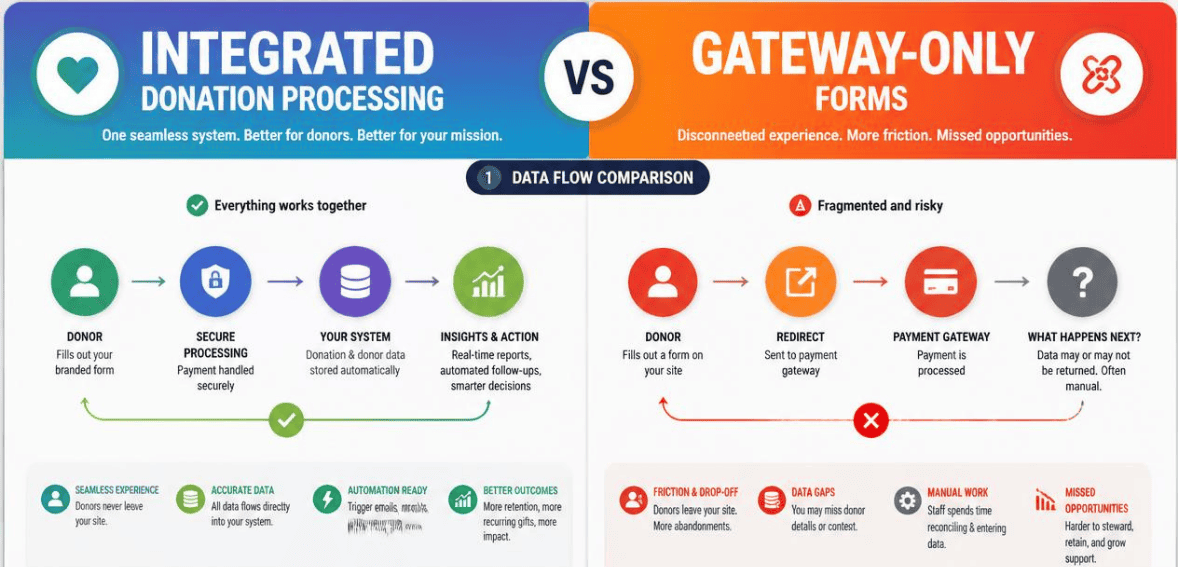
Integrated Donation Processing vs. Gateway-Only Forms
Every online gift travels a hidden path. A donor clicks “Give,” types a card number, and hits submit. What happens in the seconds after that decides how much money you keep, how safe your donors feel, and how many hours your team burns at month-end. That path is shaped by one big choice: integrated donation processing software or a gateway-only form.
Most nonprofits first pick a model without knowing they made a choice. This guide aims to solve this issue. Both donation processing models will be critiqued in simple, non-technical terms; we will analyze donor experience, data security, and cost, and help you choose the model that best complements your nonprofit.
What Gateway-Only Donation Forms Actually Do
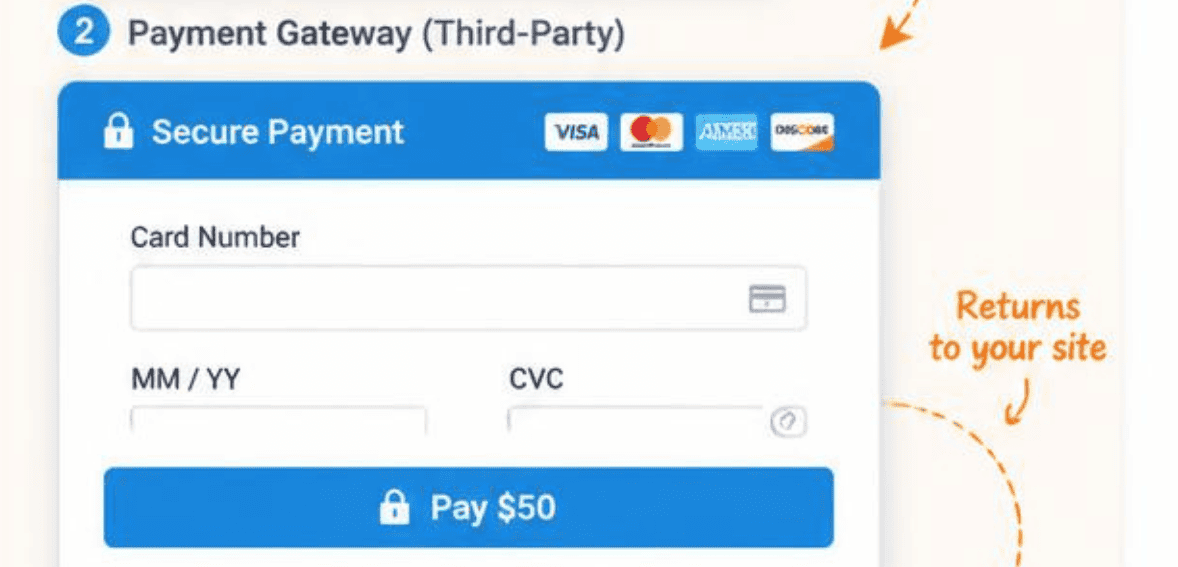
A payment gateway is the tool that captures and transmits payment data. When a donor enters their card details, the gateway encrypts that information and passes it to a payment processor. The processor checks with the donor’s bank, approves the charge, and moves funds to your account.
A gateway-only form is designed to take payments, and that’s about it. Once a payment is processed, all the details of the transaction reside in the payment system, and your donor records are living somewhere else, typically in your CRM or your staff’s spreadsheets. Because there is no automated integration, someone on your staff must export the report, match the gifts to the donors, and manually enter the data. It is in that gap that the problems begin.
Gateway-only setups are easily the most common because they are the quickest to set up. You essentially add a donation collection form to your website, and with the click of a few buttons, you can begin collecting donations. While this is fantastic for the small nonprofits that have a handful of donations per month, those organizations also rely on these sorts of setups most.
What Integrated Donation Processing Software Means
Integrated donation processing software bundles the gateway, the processor, and your donor management into one system. The payment and the donor record are the same event. When a gift comes in, it writes to the donor’s profile on its own. The receipt goes out on its own. The campaign report updates on its own.
There is no export, there is no hand-keying, and there is no weekly reconciliation project.
This model sees payments as fundraising infrastructure instead of an add-on. Your donation data are your donor data, your campaign data, and your reporting data, all in one place. It lets you see who has donated, how many times, and to which appeal, all in a single system. Data integrity is the goal.
Limited flexibility is the trade-off, but as a unified system, it is easier to use than a standalone form.
Integrated Donation Processing vs Gateway-Only Forms: The Core Differences
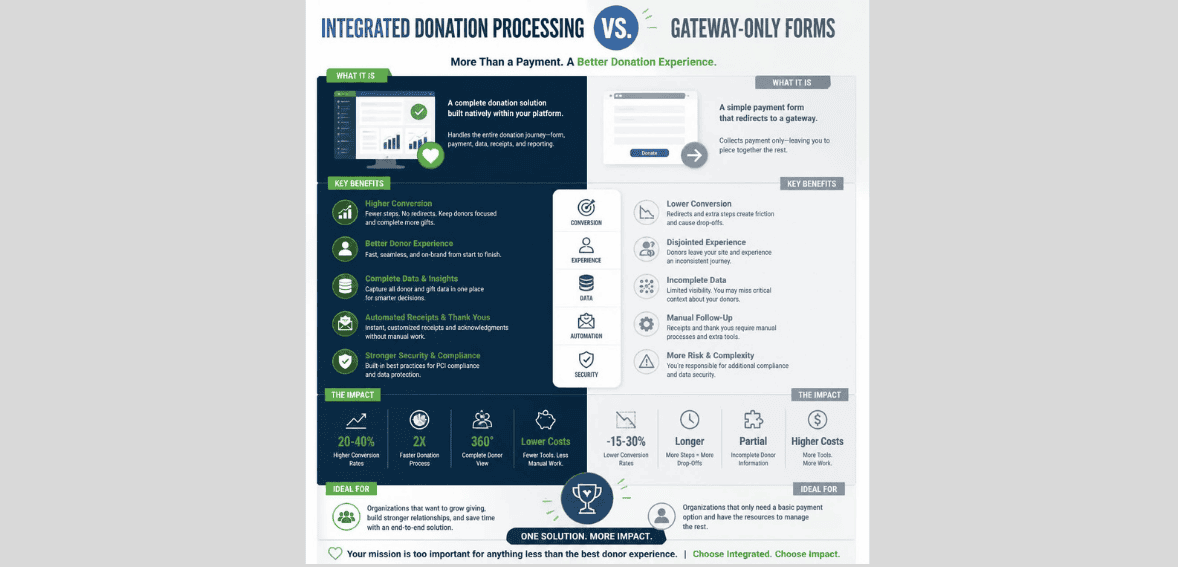
Both models accept money. The difference is everything that happens around the transaction. Let’s break it down.
Donor Data and Reconciliation
A gateway-only form presents your biggest obstacle. Data from your donations and your donors will be segmented into silos. Every gift has to be moved manually, or you will have to build and manage an integration. A giving platform states that as soon as gifts flow through a standalone processor, you will have to manually key in each transaction.
That process grows with you. If you have ten gifts a month, that’s not bad. If you have 500 gifts a month, that’s a full-time job, and it introduces a lot of errors.
Integrated donation processing eliminates this task. Gifts are recorded directly to the donor. Donation platforms will save you from having to manually enter data. It is common for nonprofit financial teams to issue a warning that if two systems have to be used (payment and reporting), you will always have the risk of an unreconciled payment, and that risk will increase as you grow your organization.
Donor Experience and Conversion
Where the form lives changes how many donors finish. Gateway-only tools often redirect donors to a separate hosted page to pay. That handoff creates friction. The page may look different from your site. It may load slowly on a phone. Some donors get nervous and leave.
The stats are startling. In their 2026 Benchmarks, M+R reports that, on average, 11% of desktop visitors and 8% of mobile visitors complete a gift on a donation page. Fundraise Up’s 2026 Donor Research reports that of the supporters who clicked an email link, 88% did not complete their gift. Forced redirects and slow, non-mobile checkouts are cited as the problems.
Most integrated fundraising platforms keep donors on your site via embedded or pop-up forms. The donation process takes place on your site, and web visitors do not leave your site, so your brand remains consistent. There are fewer forms to fill out because digital wallets allow gifts to be processed in one click. Each step that is eliminated at checkout helps recoup gifts that take marketing spend to receive. It is much less expensive to reduce friction than to increase marketing.
Security and PCI Compliance
Both models must follow PCI DSS, the security standard for handling card data. But the rules shifted with PCI DSS version 4.0, and the change matters here.
Under the new requirements, embedded-form users take on more compliance responsibility. Because criminals steal card data through malicious page scripts, not the form itself, organizations using embedded forms are taking on more responsibility to create and maintain a list of all donation page scripts, add security scans, use change detection, and so on.
A more vendor-managed solution may be a redirect-style gateway, where the donor completely leaves your site to donate. A trustworthy integrated solution uses a hosted field to collect form data and tokenizes the card data, so your system never has exposure to the raw card data. In any case, make sure to ask a vendor how they meet the new PCI 4.0 requirements before you sign. Trust with donors is easily lost and hard to regain after a data breach.
Cost and Fees
Every online donation carries a fee. That’s true for a gateway and for a full platform. The question is total cost, not the headline rate.
A gateway-only form often shows a low per-transaction fee, which is a percentage plus a few cents. It may seem like a good deal. However, factoring in the staff hours spent reconciling data and fixing errors, as well as gifts lost to poor conversion, the “cheap” option may actually incur higher costs.
Integrated software may impose a platform fee in addition to the processing fees. In return, you can say goodbye to errors and labor hours, and you may even increase conversion. Many platforms offer a “donor covers fees” option, where donors opt to cover the processing fees so that the donation reaches its intended destination. Consider the overall cost compared to your team’s time, not only the price.
Popular Donation Processing Tools Compared
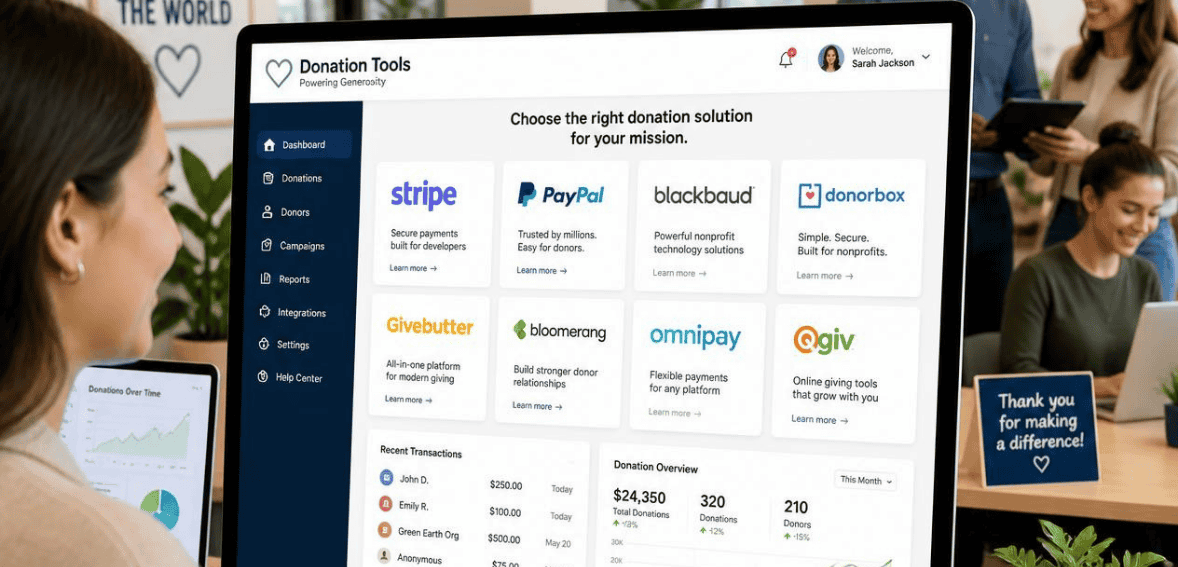
The market is crowded. Here are a few well-known options and where they land on the integrated-versus-gateway-only spectrum. Naming them isn’t an endorsement; it’s a way to make the categories concrete.
Stripe
Stripe was one of the first payment processors to offer a flexible API and support for over 100 payment methods. Developers have used Stripe for its powerful and reliable payment processing. However, Stripe is not a donor management system on its own. Most nonprofits set up Stripe alongside a CRM or fundraising system of their choice, which means the nonprofits are responsible for the development and integration, as well as the reconciliation of the systems.
PayPal
PayPal is familiar to donors and quick to set up, which lowers hesitation at checkout. It works well for small nonprofits processing straightforward gifts. Like Stripe, though, it leans gateway-only. Your donor data still needs a home, and connecting PayPal activity to donor records usually falls to your team or a third-party sync.
DonorPerfect
DonorPerfect is integrated donation processing software with donor management, custom reporting, recurring gifts, and automation for receipts. With DonorPerfect, transactions sync automatically to donor records and to reporting. The system eliminates the need for staff to export data from one system to another. Unlike others, DonorPerfect is an integrated, full system designed for fundraising, as opposed to a standalone merchant payment gateway, which will address the needs of organizations wishing to have everything integrated.
Zeffy
Zeffy is a hosted, unified platform aimed at smaller nonprofits. Donations write straight to the donor record, and receipts are automated, so there’s no manual matching. Its pricing model is unusual: it’s free to the nonprofit and funded by optional tips donors add at checkout. For lean teams under a few thousand donors, that combination of zero platform cost and built-in data sync is compelling.
Which One Is Right for Your Nonprofit?
There is no absolute right answer. Your preferences will differ depending upon your situation. A small, new, or low-volume gift nonprofit can begin with a gateway-only form. At that point in time, the speed and low upfront cost are the most important factors. You can move to an integrated processor later on.
If you run a number of campaigns, have many gifts per month to process, or need to keep your donor data clean without having to continually correct it, then integrated donation processing software will be worth the investment. The fees for the software will be justified by the time saved, better reporting, and increased conversions. If your organization has a lot of events or a lot of compliance requirements, this will also be a good investment of time and money for your organization.
Just ask yourself one thing: how many hours do you think your team could be working on other things instead of moving money data? If the answer bothers you, then the gateway-only form doesn’t work for you any longer.
Conclusion
The choice between integrated donation processing and gateway-only forms isn’t really about payments. Both take the money just fine. It’s about everything else: your donor data, your reporting, your team’s time, and your donors’ trust.
Gateway-only forms win on speed and simplicity for the smallest operations. Integrated donation processing software wins on scale, accuracy, donor experience, and long-term cost. Match the tool to your stage, be honest about your growth, and revisit the decision as you get bigger. The best system is the one that lets your team spend less time reconciling and more time on the mission.
Frequently Asked Questions
What is the difference between a payment gateway and integrated donation processing software? A payment gateway only captures and transmits payment data to a processor. It stops at the transaction. Integrated donation processing software bundles the gateway, the processor, and donor management into one system, so gifts write straight to donor records, receipts go out automatically, and there’s no manual reconciliation.
Are gateway-only donation forms cheaper? On the surface, yes. They often show a low per-transaction fee. But once you factor in staff hours spent reconciling data, data-entry errors, and gifts lost to poor conversion, the all-in cost frequently exceeds that of an integrated platform. Compare total cost, not just the headline rate.
Do I need to worry about PCI compliance either way? Yes. Both models must follow PCI DSS. Under PCI DSS 4.0, nonprofits using embedded forms carry added responsibility, including inventorying every script on their donation pages and running security scans. Redirect gateways can shift much of that burden to the vendor. Always confirm how any provider handles PCI 4.0 before committing.
When should a nonprofit switch from a gateway-only form to an integrated platform? Switch when manual reconciliation starts eating real time, usually once you’re running multiple campaigns or processing hundreds of gifts a month. If keeping donor data accurate has become a recurring chore, an integrated system will likely pay for itself in saved labor and cleaner reporting.