

Online vs. Offline Donations: What’s Changing?
Donors no longer give through one predictable path. A supporter may scan a QR code at a charity event, complete a mobile donation form, mail a check after receiving an appeal, place cash in a church offering envelope, or arrange a recurring gift through a website.
This range of choices makes fundraising more accessible, but it also creates operational challenges. Nonprofits must connect payments with the correct donor, issue timely donation receipts, track campaign sources, reconcile deposits, respect communication preferences, and protect sensitive information across multiple channels.
The discussion around online vs offline donations is therefore not simply about which method is better. It is about understanding how donor behavior is changing while preserving the trust, relationships, and accessibility that have always supported successful fundraising.
Online giving is becoming more convenient, mobile-friendly, and automated. At the same time, offline giving remains important for direct mail, community events, churches, major gifts, personal relationships, and donors who prefer familiar payment methods.
This guide explains the difference between online and offline donations, what is changing in each channel, why both still matter, and how nonprofit teams can create a unified process for receiving, recording, acknowledging, reconciling, and reporting every gift.
What Are Online and Offline Donations?
Online and offline donations describe the primary way a gift is initiated and processed.
An online donation is started through a digital channel. The donor usually enters payment information into a website, mobile form, fundraising page, digital wallet, text-to-give flow, or another electronic experience. The payment and donor details may then move automatically into a payment processor, campaign report, or donor database.
An offline donation is received through a non-digital or primarily in-person process. Common examples include cash, checks, pledge cards, mail-in donations, offering envelopes, and commitments made during donor meetings.
Even when these gifts are later entered into nonprofit fundraising software, the original donation activity occurred outside the digital payment flow.
The distinction is useful, but it is becoming less rigid. A donor may receive a printed appeal, scan a QR code, and complete an online gift. A major donor may make a commitment during an in-person conversation and later fulfill it by ACH payment. An event attendee may complete a paper pledge card while choosing to pay online.
For that reason, nonprofits increasingly manage donation journeys rather than treating every method as completely separate. The goal is to preserve the source, payment method, campaign, acknowledgment history, and donor relationship associated with each gift.
What Counts as an Online Donation?
Online donations include gifts initiated through an internet-connected or electronic giving experience. The donor generally completes the transaction without staff manually collecting payment information.
Common digital donation methods include:
- Website donation forms
- Mobile giving pages
- Credit and debit card payments
- ACH payments and bank transfers
- Digital wallet payments
- QR code donations
- Text-to-give links
- Peer-to-peer fundraising pages
- Crowdfunding campaigns
- Social fundraising links
- Donor portals
- Recurring donations
- Campaign-specific landing pages
- Event registration forms that include an optional gift
Online giving may happen from a desktop computer, phone, tablet, event kiosk, or secure payment page. What connects these methods is that the donor interacts with a digital process and the system captures at least some of the donation information electronically.
When properly configured, an online donation can create a payment record, identify the campaign source, update the donor’s giving history, and send an email confirmation within moments. However, nonprofits still need to review duplicate records, failed transactions, refunds, settlement reports, and donor-entered information.
What Counts as an Offline Donation?
Offline donations include gifts initiated through mail, personal contact, events, paper forms, or physical payment methods.
Examples include:
- Cash donations
- Personal or business checks
- Church offering envelopes
- Mail-in donations
- Pledge cards
- Event donations
- In-person major gifts
- Workplace collection drives
- Cash collected by volunteers
- Commitments made during donor meetings
- Gifts delivered to an organization’s office
- Matching-gift paperwork
- Manually recorded bank deposits
- Verbal pledges requiring follow-up
Some offline donations may eventually involve digital systems. A staff member may enter a check into a donor database, send an acknowledgment by email, or connect a pledge to an online payment. The gift is still considered offline because the donor did not begin with an automated online payment flow.
Offline gifts often carry important context. A check may be connected to a mailed appeal, a cash gift may have been collected during a specific event, and a pledge may result from a long-term donor relationship. Preserving that context is essential for donor communication and campaign reporting.
Difference Between Online and Offline Donations
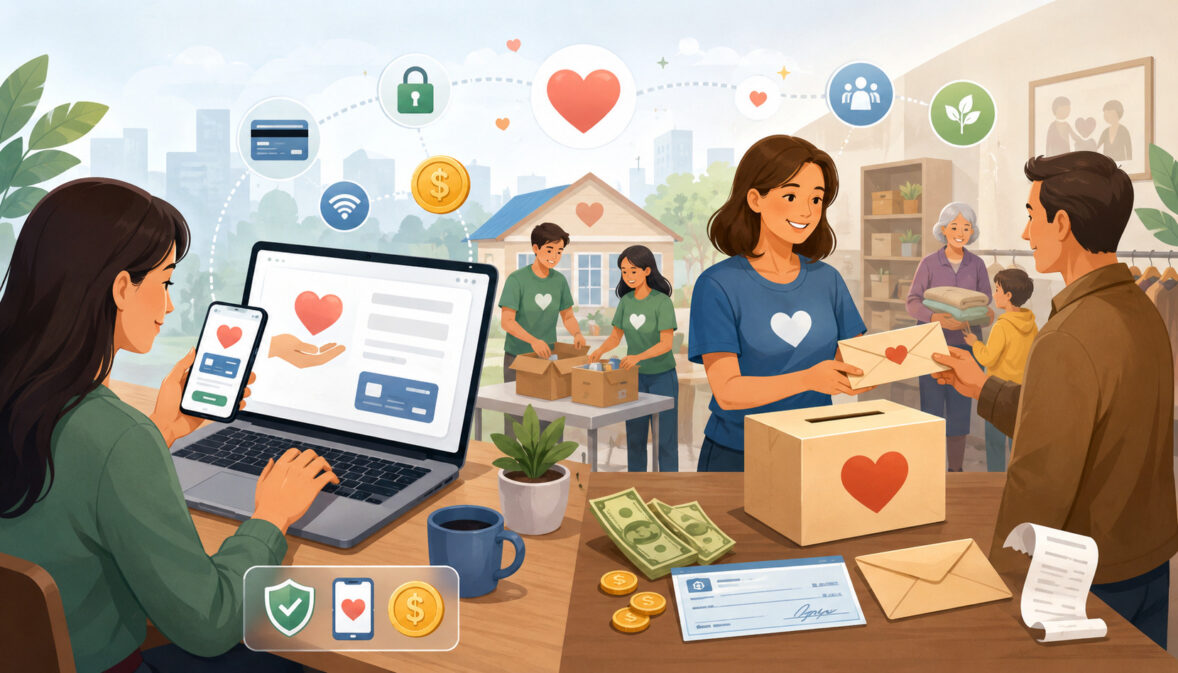
The main difference between online and offline donations involves how the donor completes the gift and how information moves through the organization.
Online gifts are often designed for speed. Donors can select an amount, enter payment details, choose a campaign, and receive confirmation without direct staff assistance. The transaction may automatically appear in a dashboard or donor record.
Offline gifts often involve more human handling. Staff or volunteers may need to collect the gift, record it, prepare a deposit, identify the donor, assign the correct campaign, and send an acknowledgment.
However, faster does not automatically mean easier in every situation. An online form can frustrate donors if it loads slowly, asks unnecessary questions, or does not work well on a phone. An offline gift can be convenient for someone who already uses checks, attends services regularly, or prefers to speak with a fundraiser before making a substantial commitment.
The two channels also create different costs. Online donations may have visible payment processing or platform charges. Offline gifts may avoid certain transaction fees but require staff time, printed materials, postage, physical controls, deposit preparation, and manual data entry.
Donor Experience Differences
Online giving generally emphasizes convenience and independence. Donors can contribute at any time, from almost anywhere, without waiting for office hours or mailing a payment.
Digital donation forms can also offer suggested amounts, recurring gift options, campaign choices, tribute information, and digital wallets. A well-designed mobile form may allow a donor to complete a gift in less time than it takes to write and mail a check.
Offline giving can feel more personal or familiar. A donor may value speaking directly with a development officer, contributing at a community event, placing an offering envelope during a service, or responding to a mailed appeal.
The better experience depends on the donor. A digitally confident supporter may prefer a mobile wallet, while another donor may trust a check and mailed acknowledgment. Nonprofits should avoid assuming that age alone determines these preferences.
Administrative Differences
Online donations can reduce manual work when donation forms, payment processing, receipts, and donor records are connected. Information such as name, email address, amount, campaign, frequency, and payment status may enter the system automatically.
Yet automation is not the same as complete accuracy. Donors can mistype names, use different email addresses, omit mailing information, or create duplicate profiles. Payment settlements may also differ from gross donation totals because of fees, refunds, chargebacks, or timing.
Offline donations usually require gift entry. Staff may need to interpret handwriting, match a check to an existing donor, enter a designation, track a pledge, and document the deposit.
These steps make clear procedures important. Without them, an organization may miss gifts, send duplicate receipts, report an incorrect campaign total, or communicate with a donor without recognizing recent support.
Online vs Offline Donations Compared
The following table provides a practical comparison of common nonprofit donation methods.
| Donation Type | How It Works | Benefits | What Nonprofits Should Watch |
| Website donations | A donor gives through an online form | Convenient, available at any time, and trackable | Payment fees, form usability, duplicate records, and campaign setup |
| Mobile donations | A donor gives from a phone or tablet | Useful for quick giving and event participation | Mobile design, page speed, and excessive form fields |
| Recurring online gifts | A donor authorizes automatic gifts | Supports consistent giving and easier renewal | Failed payments, expired cards, ACH returns, and cancellations |
| ACH donations | Funds move through a bank-based payment process | Can work well for recurring or larger gifts | Processing time, return handling, and donor authorization |
| Digital wallet gifts | A donor uses a compatible wallet at checkout | Fast checkout with less manual data entry | Device compatibility, reporting details, and processor support |
| QR code donations | A code opens a donation page | Connects printed materials and events with online giving | Code testing, destination links, and mobile form quality |
| Cash donations | A donor gives physical currency | Familiar, immediate, and useful at events | Counting, security, documentation, deposits, and donor identification |
| Check donations | A donor writes a check | Familiar to many donors and common for larger gifts | Deposit timing, returned checks, gift entry, and designation details |
| Mail-in donations | A donor returns a check or form by mail | Supports direct-mail campaigns and traditional giving | Postal delays, manual processing, and source tracking |
| Event donations | Gifts are collected during an event | Creates a strong connection between giving and participation | Multiple collectors, incomplete donor details, and receipt follow-up |
| Pledge cards | A donor promises to contribute later | Helpful for campaigns and relationship fundraising | Fulfillment dates, reminders, partial payments, and pledge changes |
How to Use the Table
The table should not be used to identify one universal “best” method. Instead, teams can use it to compare donor preferences, campaign requirements, administrative capacity, payment costs, and reporting needs.
For example, a community event may benefit from cash, checks, pledge cards, QR codes, and a mobile donation page. A monthly giving campaign may rely more heavily on recurring card or ACH payments. A major gift initiative may begin with personal conversations and end with a check, bank transfer, or online payment.
Review each method by asking:
- Can donors complete the gift easily?
- Can staff identify the donor and campaign?
- Is the receipt process clear?
- Can the transaction be reconciled?
- Are fees and handling costs understood?
- Can the method be managed securely?
- Will the gift appear in the donor’s full history?
Why Nonprofits Usually Need Both Channels
Most organizations serve donors with different habits, levels of digital confidence, payment preferences, and relationships with the mission. Restricting giving to one channel may create unnecessary barriers.
An online-only strategy can overlook donors who prefer checks, mail, events, or personal contact. An offline-only strategy can make it difficult for supporters to give immediately after seeing an email, social post, campaign update, or emergency appeal.
A mixed approach allows donors to choose. More importantly, it enables the organization to connect digital convenience with personal stewardship.
The most effective mix will vary. A small church may receive many envelope and check donations while gradually expanding mobile giving. A regional charity may combine direct mail with online forms. A school campaign may use pledge cards, event gifts, and peer-to-peer fundraising.
What Is Changing in Online Donations?

Online donations are becoming easier to initiate from more places. A fundraising appeal no longer needs to send every supporter to a desktop website. Donors can reach a form through email, social media, text messages, QR codes, peer-to-peer pages, mobile wallets, and event displays.
Digital giving is also becoming more integrated with donor management. Modern workflows can connect donation forms with recurring gift schedules, campaign reports, donor profiles, automated receipts, and communication segments.
Donors increasingly expect these interactions to feel connected. After making a gift, they generally expect a clear confirmation rather than uncertainty about whether the payment succeeded. Recurring donors may expect a practical way to update payment information, while event donors may expect the organization to recognize their contribution in later communication.
At the same time, online fundraising creates new operational responsibilities. Teams must review payment status, monitor failed recurring gifts, test donation pages, manage permissions, and verify that campaign information is recorded correctly.
Mobile Giving Is Becoming More Important
Many donors encounter fundraising messages on a phone. They may open an email, view a social post, scan a QR code, or receive a giving link by text.
When the donation page is difficult to use on a small screen, every unnecessary step can increase friction. Tiny text, crowded fields, slow loading, complicated navigation, or unclear buttons can cause donors to stop before completing the gift.
A mobile-friendly form should generally:
- Load quickly
- Use readable text
- Request only necessary information
- Display clear gift amounts
- Explain recurring gift choices
- Show a clear confirmation
- Support appropriate mobile payment options
- Avoid forcing donors to create an account
Teams should test the entire experience rather than reviewing only the form’s appearance. This includes clicking the appeal link, completing a test transaction, reading the receipt, and confirming that the gift appears in the proper campaign and donor record.
Recurring Giving Is Changing Fundraising Planning
Recurring donations can turn a single giving decision into continued support. Monthly giving is especially useful for donors who want to contribute consistently without repeating the checkout process.
For organizations, recurring gifts can improve planning because they create a more visible pattern of expected support. However, recurring revenue should not be treated as guaranteed. Cards expire, bank payments can be returned, donors change accounts, and supporters may pause or cancel gifts.
A complete recurring-gift workflow should include:
- Clear frequency and amount information
- Confirmation after enrollment
- Accurate recurring gift records
- Failed payment notifications
- Respectful recovery messages
- Easy payment updates
- Cancellation procedures
- Continued impact communication
What Is Changing in Offline Donations?

Offline donations are not disappearing, but the way organizations manage them is changing. Paper-based gifts increasingly need to become part of a digital donor record soon after they are received.
Checks, pledge cards, event donations, and mail appeals may still begin offline. Yet staff often use a donor database, accounting workflow, or fundraising report to track them. This makes prompt and accurate gift entry more important.
Hybrid fundraising is also changing offline campaigns. A mailed appeal can include both a return envelope and a QR code. A church bulletin can provide envelope instructions alongside a mobile giving link. A pledge card may allow donors to select check, card, ACH, or later online payment.
The goal is not to make every donor digital. It is to prevent offline gifts from becoming isolated from the organization’s broader records and communication.
Offline Giving Is Still Relationship-Driven
Offline giving often occurs where trust has been built through personal contact. Major donor meetings, church services, school events, community gatherings, and mailed appeals can create a sense of connection that is difficult to reproduce with a form alone.
A donor may want to ask questions before making a substantial gift. Another may prefer to hand a check to someone they know. Some supporters view direct mail as a meaningful reminder rather than an inconvenience.
Offline fundraising can also provide valuable nonfinancial information. A conversation may reveal the donor’s program interests, preferred communication style, family involvement, or reasons for supporting the mission.
Staff should record useful relationship notes thoughtfully and limit access to those who need the information.
Offline Gifts Need Better Digital Records
An offline gift that never enters the donor database can create multiple problems. The donor’s giving history becomes incomplete, campaign reports are understated, receipts may be delayed, and future communication may ignore a recent contribution.
Each offline gift should generally be connected with:
- The correct donor profile
- The amount and date
- Payment method
- Campaign or appeal source
- Gift designation
- Deposit information
- Receipt or acknowledgment status
- Pledge details, when relevant
- Appropriate donor notes
Organizations should establish consistent gift-entry rules. For example, teams should decide how to record anonymous cash, household gifts, event collections, soft credits, matching gifts, and partially fulfilled pledges.
Why Online Donations Are Growing
Online giving reduces the distance between donor interest and donor action. When a supporter feels inspired by a story, event, campaign, or urgent need, a digital form allows the person to respond immediately.
Online fundraising also travels easily across channels. The same campaign page can be shared by email, text, social media, volunteer fundraisers, board members, and peer-to-peer participants. This allows supporters to extend the organization’s reach through their own networks.
Digital donations can support several payment methods, provide automatic confirmations, and make recurring giving easier to establish. They also give fundraising teams earlier visibility into campaign performance.
These advantages explain why online donations are becoming a larger part of many fundraising programs. Nevertheless, growth should not lead teams to neglect usability, accessibility, security, record accuracy, or personal communication.
Convenience for Donors
A convenient donation method reduces avoidable effort. The donor should be able to understand the request, select an amount, choose whether the gift is one-time or recurring, complete the payment, and know that it was received.
Online donations allow supporters to give:
- Outside normal office hours
- From different locations
- After opening an email or text
- During an event
- In response to social content
- Through a peer fundraiser
- Without mailing a payment
Convenience also depends on trust. Donors may hesitate when a page looks unfamiliar, requests excessive information, or does not explain what will happen after payment.
Clear design, secure payment handling, recognizable campaign information, and immediate confirmation can make the experience more reassuring.
Faster Fundraising Data for Teams
Online giving can help teams see donation activity sooner than paper-based processes. Staff may be able to review totals by campaign, payment status, gift frequency, source, or date without waiting for checks to arrive and be entered.
This visibility can support practical decisions. If a campaign page is receiving traffic but few completed gifts, the team can test its message or form. If many donors select recurring giving, future communication can reflect that commitment.
Faster data is useful only when records are dependable. Teams should verify that integrations are working, campaign codes are correct, duplicate donors are managed, and refunds or failed payments are reflected in reports.
Why Offline Donations Still Matter
Offline giving remains important because fundraising is built on trust, participation, and relationships—not payment technology alone.
Many donors are comfortable with checks, mailed appeals, offering envelopes, pledge cards, and face-to-face conversations. These methods may be particularly meaningful in community organizations, religious congregations, schools, local charities, membership associations, and major gift programs.
Offline channels can also reach people who do not regularly respond to digital messages. A letter placed on a kitchen table may receive more attention than another email in a crowded inbox.
The real question is not whether traditional donations should be eliminated. It is how to preserve their strengths while improving gift entry, receipt delivery, donor records, and reporting.
Personal Relationships and Major Gifts
Major gifts frequently develop through conversations rather than immediate form submissions. Donors may want to understand the need, discuss possible outcomes, involve family members, or speak with organizational leadership.
The resulting gift may be made by check, bank transfer, or another arranged method. Even when payment is ultimately digital, the fundraising process remains relationship-driven.
Strong major gift stewardship usually requires more than a receipt. It may include:
- Personal acknowledgment
- Impact updates
- Appropriate recognition
- Follow-up conversations
- Pledge reminders
- Documentation of restrictions or intentions
- Coordination among staff and leadership
Specific gift agreements, restrictions, tax treatment, and legal obligations should be reviewed by qualified professionals.
Community Events and In-Person Giving
Charity events, worship services, school fundraisers, volunteer drives, and community gatherings continue to generate offline gifts.
Participants may contribute cash, write checks, complete pledge cards, bid at an auction, or promise matching support. These interactions can strengthen the donor’s emotional connection to the cause.
The operational risk is that information can become fragmented. One volunteer may hold cash, another may collect pledge cards, and a staff member may manage event registration. A documented process should explain who receives gifts, who verifies totals, who prepares deposits, and who enters donor information.
Online and Offline Donation Methods for Nonprofits
The most appropriate nonprofit donation methods depend on the audience, campaign, staff resources, payment preferences, and fundraising environment.
Organizations do not need to offer every possible method. Each additional channel creates processes that must be maintained, tested, reconciled, and supported.
A useful strategy is to offer enough choice to remove donor barriers without creating unnecessary complexity. Teams can begin with the methods donors already use and add channels when there is a clear need.
Digital Donation Methods
Digital donations can support broad campaigns, rapid response appeals, recurring giving, events, and peer-to-peer fundraising.
Common options include:
- Website forms: Suitable for general giving and program-specific campaigns.
- Card payments: Familiar and fast, though processing fees usually apply.
- ACH payments: Helpful for recurring or larger gifts, depending on the provider.
- Digital wallets: Can shorten checkout for compatible donors and devices.
- QR codes: Useful for print materials, events, signs, and direct mail.
- Text-to-give links: Helpful when supporters are already using mobile devices.
- Peer-to-peer pages: Allow volunteers and supporters to fundraise through personal networks.
- Recurring gifts: Automate monthly or other scheduled contributions.
Record accuracy becomes more complicated when spouses, family members, or other donors share an address or payment method. Learning how to manage shared donor records can help teams reduce duplicate communication while preserving each person’s giving history and donor identity.
Traditional Donation Methods
Traditional donations continue to support relationship-based and community-centered fundraising.
Common methods include:
- Checks
- Cash
- Mail-in response forms
- Offering envelopes
- Pledge cards
- In-person major gifts
- Event collections
- Workplace campaigns
- Matching-gift forms
These options can be valuable when donors prefer tangible communication or personal interaction. They also work alongside digital channels. A mailed appeal can include both a return envelope and an online giving path, while an event can accept checks, cash, cards, and QR code donations.
Payment Processing Fees and Donation Costs
Donation costs should be evaluated across the complete workflow, not only by looking for a visible transaction fee.
Online gifts commonly involve payment processing expenses. Depending on the arrangement, there may also be platform, gateway, monthly, per-transaction, or optional service fees.
Offline donations may appear less expensive because a check or cash gift does not always show a percentage-based fee. However, offline giving can require staff time, printing, postage, counting, data entry, deposit preparation, storage, and reconciliation.
Comparing total operational cost provides a more useful view than assuming one channel is free.
Online Donation Fees
Online donation costs may include:
- Card processing fees
- ACH transaction fees
- Payment gateway charges
- Platform fees
- Monthly software costs
- Per-transaction charges
- Chargeback expenses
- Optional donor-covered fees
Fee structures differ, and organizations should review current provider documentation and contract terms rather than relying on general assumptions.
When donors are offered the option to cover processing costs, the wording should be transparent and voluntary. The checkout should clearly show the donation amount, added amount, and final total.
Payment processing fees also affect reconciliation because the net deposit may be lower than the gross amount donated.
Offline Donation Costs
Offline gifts may involve:
- Printing appeal letters and envelopes
- Postage
- Staff processing time
- Check scanning or banking work
- Cash counting
- Secure storage
- Transportation to the bank
- Manual gift entry
- Receipt preparation
- Correction of incomplete records
These costs are often distributed across departments and may not appear in fundraising reports. That does not make offline giving inefficient; it means the organization should evaluate its true workload.
Donation Receipts and Acknowledgments
A payment confirmation shows that a transaction was received. An acknowledgment also expresses appreciation and reinforces the relationship.
For online and offline gifts, organizations should distinguish between operational confirmation, donor stewardship, and any required charitable contribution documentation.
Official guidance explains that certain charitable gifts may require specific written acknowledgments or disclosures. Organizations should review current charitable contribution substantiation and disclosure information and obtain professional guidance for their circumstances.
Online Donation Receipts
Online receipts can be delivered immediately after a successful transaction. A typical confirmation may include:
- Donation date
- Amount
- Campaign or designation
- Payment status
- Transaction reference
- Organization contact information
- Relevant acknowledgment language
Organizations should also have a process for handling incorrect donor names, amounts, dates, or acknowledgment details. This guide on how to correct and reissue donation receipts explains how teams can manage corrections, preserve both versions, document the reason for the change, and resend the updated receipt.
Offline Donation Acknowledgments
Offline gifts require a reliable acknowledgment process because there is no automatic checkout confirmation.
After entering the gift, staff may send an email, printed letter, or personalized note based on the donor’s preferences and the nature of the contribution.
The acknowledgment should match the recorded amount, date, designation, and donor identity. Before year-end summaries or campaign reports are produced, teams should review unresolved checks, anonymous gifts, duplicate profiles, and incomplete donor addresses.
Donation Tracking and Donor Records
Complete donation tracking allows an organization to understand the full relationship rather than viewing every gift as an isolated transaction.
A useful donor record may include:
- Contact information
- Giving history
- Gift amount and date
- Payment method
- Campaign and appeal source
- Recurring gift status
- Pledges
- Receipt history
- Communication preferences
- Event participation
- Volunteer involvement
- Relevant stewardship notes
Data collection should remain purposeful. Organizations should avoid gathering sensitive information merely because a system provides a field for it.
Tracking Online Donations
Online gifts can move directly into donor records when systems are properly connected. This can reduce typing and make campaign reports available sooner.
Still, staff should monitor:
- Duplicate donor profiles
- Missing mailing addresses
- Incorrect campaign assignments
- Failed or pending transactions
- Refunds
- Chargebacks
- Recurring gift changes
- Test transactions
- Anonymous gift selections
Naming conventions and campaign codes should be established before a campaign begins. Otherwise, similar gifts may be scattered across multiple categories.
Tracking Offline Donations
Offline gift entry requires special attention because staff make more of the data decisions.
The person entering the gift may need to determine the donor, household, campaign source, designation, payment method, deposit batch, receipt status, and related pledge.
A second review may be appropriate for large gifts, restricted gifts, pledge payments, unusual designations, or corrections. Detailed procedures can reduce inconsistencies when several staff members or volunteers enter donations.
Reconciliation for Online and Offline Donations
Reconciliation means comparing fundraising records with the money actually received and deposited.
A donation report may show gifts that were attempted, authorized, pending, refunded, failed, or successfully settled. The bank may show one combined deposit representing many transactions after fees or adjustments.
Offline records create a similar challenge. A cash log, check batch, donor database, deposit slip, and bank statement should tell a consistent story.
Regular reconciliation helps identify timing differences, missing records, duplicate entries, incorrect amounts, failed payments, and unexplained adjustments.
Reconciling Online Donations
An online reconciliation process may compare:
- Gross successful donations
- Processor fees
- Refunds or chargebacks
- Adjustments
- Net settlement amount
- Bank deposit
- Donor database entries
Settlement timing can cause deposits to appear on a later date than the original gifts. ACH payments may also remain pending or be returned after initial submission.
Teams should preserve processor reports and use a consistent method for recording fees and net deposits. Accounting treatment should be reviewed with an appropriate professional.
Reconciling Offline Donations
For offline gifts, reconciliation may compare:
- Cash count sheets
- Check lists
- Event collection logs
- Donor database batches
- Deposit slips
- Bank records
- Receipt logs
- Pledge records
Cash and checks should be handled through documented procedures that define responsibility and review. Where practical, more than one person should verify collected amounts.
The organization should also document how it corrects entry errors, returned checks, unidentified deposits, and gifts received without enough donor information.
Donor Communication Across Online and Offline Channels
Donor communication should feel connected even when gifts arrive through different channels.
An online donor should not receive only automated transaction emails. An offline donor should not be excluded from timely campaign updates because the person did not provide an email address.
Organizations can use email, mail, text, phone calls, event follow-ups, and personal meetings according to donor preferences and the nature of the relationship.
Respecting Donor Preferences
Some donors prefer email because it is fast and easy to store. Others value printed letters. Major donors may appreciate calls or personal updates, while event participants may respond well to text messages.
Preference data can include:
- Preferred communication channel
- Contact frequency
- Program interests
- Event interests
- Receipt delivery preference
- Mail or email opt-outs
- Appropriate contact restrictions
Privacy, consent, marketing, and communication requirements can vary. Organizations should seek professional review for questions involving specific laws, regulations, or jurisdictions.
Keeping Messages Consistent
Campaign language should remain recognizable across channels. The website, mailed appeal, event script, QR code page, and acknowledgment should describe the same need and intended outcome.
Consistency does not require identical wording. An email may be brief, while a mailed letter provides more context. The important elements—campaign identity, purpose, donation options, and follow-up expectations—should align.
Automated emails are useful, but some gifts deserve more personal follow-up. Nonprofits can organize donor thank-you calls so staff members, board members, or volunteers know whom to contact and can record the outcome of each conversation.
Donor Segmentation and Fundraising Strategy
Segmentation groups donors according to useful characteristics so communication can be more relevant.
Channel preference is one possible segment, but it should not become a rigid label. A donor who usually mails checks may respond to a QR code at an event. An online donor may welcome a personal phone call.
Useful segments may include:
- First-time donors
- Recurring donors
- Event donors
- Major donors
- Lapsed donors
- Volunteers who give
- Church donors
- Mail donors
- Peer-to-peer donors
- Campaign-specific donors
- Matching-gift participants
Segmenting by Giving Channel
Giving-channel data can show whether a donor typically uses:
- Website forms
- Mobile giving
- Direct mail
- Checks
- Cash
- Events
- Recurring payments
- Pledge cards
This information can guide solicitation design. A frequent check donor may receive a return envelope and a simple online option. A mobile donor may receive a shorter message with a direct giving link.
Channel segmentation should support choice rather than pressure donors to change methods.
Segmenting by Donor Behavior
Behavior often provides deeper insight than payment method alone.
Teams can consider:
- Gift frequency
- Average gift amount
- Last gift date
- Campaign interests
- Event participation
- Recurring status
- Pledge fulfillment
- Volunteer activity
- Communication engagement
A donor who gives modest amounts every month may have a different relationship from a donor who makes one larger annual gift. Both may be valuable and should receive stewardship appropriate to their patterns.
Hybrid Fundraising: Combining Online and Offline Donations
Hybrid fundraising deliberately connects digital and traditional channels.
A donor may first learn about a campaign through a mailed letter, watch an impact video online, attend an event, scan a QR code, and later receive a printed thank-you note. All of these interactions are part of one relationship.
Hybrid fundraising works best when channels reinforce one another rather than creating separate campaign identities.
Event Fundraising With Digital Options
An event can offer:
- QR codes
- Mobile donation forms
- Card payments
- Cash and checks
- Pledge cards
- Text follow-up
- Peer-to-peer pages
- Post-event email reminders
The work should continue after the event ends. A clear post-event donation follow-up process can help teams match pledges with completed payments, contact donors with unresolved commitments, send acknowledgments, and update donor records while the event is still fresh.
Direct Mail With Online Giving Paths
Direct mail remains more flexible when donors can respond by either check or online payment.
A mailed appeal can include:
- A return envelope
- A short website address
- A campaign-specific QR code
- Clear instructions for checks
- A way to request recurring giving
- Contact information for questions
The printed and digital versions should use consistent campaign names and suggested amounts. Source codes can help the organization understand whether donors responded by mail, QR code, or typed website address.
Online Donations for Recurring Giving
Recurring online donations allow donors to authorize contributions on a schedule, often monthly.
This approach can make continued giving convenient and can help organizations understand expected support. It also creates an ongoing responsibility to communicate, manage payment changes, and respect cancellations.
Recurring donors should receive impact information and appreciation, not only transaction notifications.
Why Recurring Gifts Help Planning
A base of recurring gifts can provide greater visibility into likely monthly support. This may help teams plan routine programs, communication schedules, and campaign goals.
Recurring giving can also lower the effort required from donors. Instead of completing a new transaction each month, the supporter makes one decision and continues until making a change.
Organizations should avoid describing recurring revenue as guaranteed. Forecasts should account for cancellations, payment failures, and normal donor changes.
Managing Failed Recurring Payments
Recurring payments may fail because of:
- Expired cards
- Replaced cards
- Insufficient funds
- Closed accounts
- ACH returns
- Processor errors
- Changed donor preferences
Recovery communication should be respectful. A message can explain that the payment did not process, provide a secure update path, and offer assistance without creating embarrassment or pressure.
Raw card or bank details should never be requested through ordinary email.
Offline Donations for Major Gifts and Relationship Fundraising
Major gifts often involve extended decision-making. The donor may speak with several people, request program information, make a pledge, and fulfill the commitment over time.
This work is commonly supported by offline conversations even when the eventual payment is electronic.
The organization needs a way to preserve key commitments, contact history, restrictions, and follow-up tasks without turning a personal relationship into a collection of disconnected notes.
Why Personal Conversations Still Matter
Meaningful donor relationships are built through listening, trust, transparency, and follow-through.
A personal conversation allows the fundraiser to understand what the donor cares about and whether the proposed opportunity aligns with those interests. It also gives the donor room to ask questions that a general campaign page may not answer.
Personal engagement should remain respectful. Donors should not be pressured into making commitments or sharing financial information they do not wish to disclose.
Tracking Offline Commitments Digitally
Pledges and commitments should be entered into the donor management system with appropriate details, such as:
- Pledged amount
- Expected schedule
- Campaign
- Designation
- Amount received
- Remaining balance
- Follow-up date
- Relevant documentation
- Responsible staff member
A pledge should not be reported as received cash unless it has actually been fulfilled. Reporting and accounting questions should be reviewed with qualified professionals.
Online Giving Security and Donor Trust
Online giving depends on donors trusting the payment process.
Organizations should use secure payment workflows, limit access according to staff roles, maintain strong password practices, and avoid unnecessary handling of payment information.
Payment security standards establish technical and operational expectations for organizations that store, process, or transmit cardholder data. Nonprofits accepting card payments should review current resources from the PCI Security Standards Council and obtain qualified guidance for their specific environment.
Protecting Donor Payment Data
Organizations should generally avoid storing raw card information in spreadsheets, email messages, paper notes, or ordinary databases.
Safer workflows may use hosted payment pages, tokenized payment references, controlled user permissions, and providers designed to handle payment information.
Teams should also:
- Use unique staff accounts
- Enable multifactor authentication where available
- Remove access promptly when roles change
- Review suspicious small transactions
- Keep systems updated
- Train staff to recognize phishing
- Limit exported donor data
Specific security obligations should be evaluated by qualified payment and cybersecurity professionals.
Building Trust on Donation Pages
A trustworthy donation page should help donors understand:
- Which organization is receiving the gift
- What campaign the gift supports
- Whether the gift is one-time or recurring
- What amount will be charged
- Whether fees are optional
- What confirmation will follow
- How to contact the organization
- How donor information is handled
The design should look consistent with the fundraising message that led the donor to the page. Sudden changes in branding, unfamiliar domains, or unclear payment language can create hesitation.
Offline Donation Controls and Recordkeeping
Offline donations need controls because physical gifts can be lost, miscounted, misapplied, or recorded without enough information.
Controls should be practical for the organization’s size while maintaining clear responsibility, documentation, and review.
Cash and Check Handling Basics
A consistent process may include:
- Receiving the gift
- Recording the amount
- Identifying the donor when possible
- Counting or listing the gift
- Obtaining a second review
- Preparing the deposit
- Entering the donor record
- Reconciling the bank deposit
- Sending an acknowledgment
- Retaining appropriate documentation
Checks should be deposited promptly according to organizational procedures. Cash should not remain unsecured or be used directly for expenses before deposit.
Event Donation Records
Events are especially vulnerable to fragmented records because several people may collect gifts at different locations.
Before an event, assign responsibility for:
- Cash boxes
- Check collection
- Pledge cards
- Card devices
- QR codes
- Donor information
- Count sheets
- Deposit preparation
- Gift entry
- Receipt follow-up
After the event, compare registration records, pledge cards, online reports, cash counts, check lists, and deposits.
Common Mistakes With Online and Offline Donations
Donation problems often occur when channels are managed as unrelated systems.
Common mistakes include:
- Failing to enter offline gifts
- Creating duplicate donor records
- Using long online forms
- Sending inconsistent receipts
- Ignoring failed recurring payments
- Mixing campaign codes
- Failing to reconcile deposits
- Collecting unnecessary information
- Overlooking donor preferences
- Giving too many users broad access
- Treating pledges as completed gifts
- Sending generic communication after major gifts
Missing Offline Gifts in Donor Records
When an offline gift is not entered, the organization may continue soliciting the donor as though no gift was received.
The missing record can also distort:
- Campaign totals
- Donor retention reports
- Giving history
- Receipt records
- Major donor review
- Segmentation
- Board reporting
Offline gifts should be entered promptly and included in the same reporting structure used for online gifts.
Making Online Donation Forms Too Complicated
Each additional field creates another decision for the donor.
Forms become difficult when they ask for unnecessary account creation, excessive contact information, unrelated survey questions, or confusing designations before the donor can complete the gift.
Organizations can collect essential payment and acknowledgment information first. Optional questions can be clearly labeled or moved to later communication when appropriate.
Online vs Offline Donation Management Checklist
| Checklist Area | Online Donation Review | Offline Donation Review | Why It Matters |
| Donation method | Forms, ACH, cards, wallets, QR codes | Cash, checks, mail, pledge cards | Supports donor choice |
| Receipts | Automated confirmations and reissue process | Manual, emailed, or mailed acknowledgments | Builds trust and documentation |
| Records | Automatic gift and donor entry | Prompt manual entry | Keeps giving history accurate |
| Fees and costs | Processing, gateway, and platform costs | Staff time, printing, postage, and deposit work | Shows true operational cost |
| Reconciliation | Processor reports and settlements | Cash and check logs with deposits | Supports accuracy |
| Communication | Email, text, and donor portals | Mail, phone, and personal follow-up | Respects donor preferences |
| Campaign tracking | Digital links, pages, and source codes | Mail, event, and pledge sources | Improves reporting |
| Security | Secure forms, accounts, and permissions | Cash, check, and document controls | Protects donors and records |
| Reporting | Online dashboards and exports | Offline gift and pledge reports | Shows the full fundraising picture |
| Follow-up | Automated and segmented workflows | Personalized stewardship | Strengthens relationships |
How to Use the Checklist
Review the checklist after major campaigns and at regular operational intervals.
Look for gaps rather than trying to redesign everything at once. A team may discover that its online receipts work well but its offline gift entry is delayed. Another may find accurate records but weak reconciliation between processor deposits and donation reports.
Assign an owner and review date to each improvement. This turns a general checklist into a manageable operating plan.
Records to Keep for Donation Management
Depending on organizational needs and professional guidance, useful records may include:
- Donation exports
- Gift-entry batches
- Cash and check logs
- Deposit records
- Processor reports
- Pledge cards
- Receipt copies
- Refund records
- Reconciliation notes
- Campaign reports
- Donor correspondence
- Approval records for corrections
Record-retention, privacy, tax, and compliance requirements vary. Obtain appropriate professional advice before establishing formal policies.
Best Practices for Managing Online and Offline Donations
The following practices can help organizations build a more reliable multichannel fundraising process:
- Offer online and offline options where appropriate.
- Keep online donation forms simple and mobile-friendly.
- Enter offline gifts promptly.
- Send timely confirmations and thank-you messages.
- Record gift and campaign sources.
- Reconcile donation records with deposits.
- Review online fees and offline handling costs.
- Respect communication preferences.
- Explain optional donor-covered fees clearly.
- Protect payment and donor information.
- Train staff and volunteers.
- Review online and offline reports together.
- Segment donors thoughtfully.
- Document donation procedures.
- Seek professional guidance for legal, tax, accounting, privacy, security, registration, or compliance questions.
Creating a Unified Donation Workflow
A unified workflow follows each donation through the same essential stages:
- Receive: Accept the gift through the donor’s chosen method.
- Record: Connect it to the donor, campaign, amount, date, and payment method.
- Acknowledge: Send an accurate confirmation and appropriate thanks.
- Deposit: Confirm the funds were received.
- Reconcile: Match records, fees, adjustments, and deposits.
- Steward: Continue relevant donor communication.
- Report: Include the gift in complete campaign and fundraising reports.
The details may differ by channel, but the control points remain similar.
Keeping Donor Experience at the Center
Operational efficiency should support donor relationships rather than make giving feel mechanical.
A donor-centered process is:
- Easy to understand
- Accessible through appropriate channels
- Clear about amounts and frequency
- Respectful of preferences
- Prompt in acknowledging support
- Careful with information
- Consistent across campaigns
- Responsive when something goes wrong
Organizations should periodically experience their own donation process as donors do. Complete an online gift, mail a test response, review the receipt, and observe the follow-up.
How Donor Management Software Can Help
Donor management software can bring online and offline activity into a centralized record.
Depending on the system, it may support:
- Donor profiles
- Gift history
- Online forms
- Offline gift entry
- Recurring donations
- Pledge tracking
- Donation receipts
- Campaign reporting
- Donor segmentation
- Communication history
- Permissions
- Data exports
- Reconciliation support
Software does not replace good procedures. It provides a structure for applying them consistently.
Bringing Online and Offline Gifts Into One Record
A centralized record allows staff to see that one donor may give in several ways.
For example, the same supporter may:
- Donate online during an emergency appeal
- Mail an annual check
- Attend an event
- Volunteer
- Establish a recurring gift
- Participate in a matching-gift program
Improving Reporting and Stewardship
Organized records can help teams answer practical questions:
- How much did a campaign receive across all channels?
- Which donors are giving for the first time?
- Which recurring payments failed?
- Which pledges remain open?
- Who donated at the event?
- Which supporters prefer mail?
- Which donors have not been thanked?
- How much was received before and after fees?
These insights support better communication, campaign planning, and donor retention.
How to Choose Tools for Online and Offline Donation Management
Tool selection should begin with the organization’s actual workflow.
A long feature list is less useful when staff cannot enter a check easily, donors struggle with the mobile form, or reports cannot connect settlement deposits with gifts.
Consider the complete process from donor decision through acknowledgment, reconciliation, and stewardship.
Questions to Ask Before Choosing Donation Tools
Ask practical questions such as:
- Can donors complete forms easily on mobile devices?
- Which cards, bank payments, and wallets are supported?
- Can staff enter cash and checks efficiently?
- Can offline gifts be assigned to campaigns and appeals?
- Can the system track recurring gifts and failed payments?
- Can it manage pledges and partial fulfillment?
- Are receipts customizable and easy to reissue?
- How are fees displayed and reported?
- Can optional donor-covered fees be explained clearly?
- How are refunds and chargebacks recorded?
- Can deposits be reconciled with transaction reports?
- Can staff track communication preferences?
- Are donor segments easy to create?
- Are reports exportable?
- Can permissions be limited by role?
- How is existing data migrated?
- What training and support are available?
- What is the total cost, including payment and operational expenses?
- How are donor and payment data protected?
Comparing Workflow Fit Over Feature Lists
A tool should be evaluated using real scenarios.
Ask staff to test:
- Entering a mailed check
- Correcting a donor name
- Recording a pledge payment
- Issuing a replacement receipt
- Reviewing a failed recurring gift
- Creating an event campaign
- Reconciling a processor deposit
- Exporting a board report
- Finding a donor’s communication history
- Restricting access for a volunteer
These tasks reveal whether the system fits daily operations better than a marketing checklist can.
Frequently Asked Questions
What is the difference between online and offline donations?
Online donations are initiated through digital channels such as website forms, mobile pages, card payments, ACH payments, digital wallets, QR codes, and recurring giving systems.
Offline donations are initiated through methods such as checks, cash, mailed appeals, pledge cards, offering envelopes, events, and personal donor conversations.
Both should ultimately be recorded within the organization’s complete donation and donor management process.
Are online donations better than offline donations?
Neither method is universally better.
Online donations can provide convenience, faster receipts, recurring payment options, and quicker campaign data. Offline donations can support personal relationships, direct mail, community events, churches, major gifts, and donors who prefer cash or checks.
A balanced approach generally gives supporters practical choices while allowing the organization to manage each channel accurately.
Why do offline donations still matter for nonprofits?
Offline donations remain important because not every donor prefers digital giving.
Checks, cash, events, mail appeals, pledge cards, and personal conversations can be highly effective in relationship-based fundraising. Offline channels may also reach supporters who do not respond regularly to email, social media, or website campaigns.
Their value depends on proper documentation, deposit controls, receipt delivery, and gift entry.
What online and offline donation methods should nonprofits offer?
The right mix depends on donor preferences, campaign needs, staff capacity, and operational cost.
Common online methods include website forms, cards, ACH payments, wallets, QR codes, text links, and recurring gifts. Common offline methods include checks, cash, mail-in forms, pledge cards, event gifts, and personal commitments.
Organizations should offer methods they can manage securely and accurately.
How should nonprofits track online and offline donations?
Every gift should be connected with the correct donor when possible, amount, date, payment method, campaign, designation, receipt status, and deposit information.
Online gifts may enter records automatically, while offline gifts often require manual entry. Teams should review duplicates, reconcile reports with deposits, and make sure all channels appear in consolidated fundraising reports.
How do payment processing fees affect online donations?
Online transactions may include card, ACH, gateway, platform, or per-transaction costs.
Because fees may be deducted before settlement, the amount deposited into the bank can differ from the gross amount donated. Organizations should record and reconcile gross gifts, fees, refunds, adjustments, and net deposits according to their reviewed accounting procedures.
What mistakes should nonprofits avoid when managing donations?
Common mistakes include failing to enter offline gifts, using complicated online forms, creating duplicate donor records, delaying acknowledgments, ignoring failed recurring payments, mixing campaign sources, and failing to reconcile deposits.
Teams should also avoid storing raw payment information through unsafe methods or collecting more donor data than necessary.
How can donor management software help with online and offline donations?
Donor management software can centralize gift history, donor profiles, recurring donations, pledges, receipts, campaign reporting, segmentation, communication, and offline gift entry.
The main benefit is a more complete view of the donor relationship. The system should still be supported by clear procedures, trained users, appropriate permissions, regular reconciliation, and thoughtful stewardship.
Conclusion
The shift in online vs offline donations is not a simple replacement of traditional giving with digital payments.
Online donations are growing because they offer speed, mobile convenience, recurring options, immediate confirmation, and faster fundraising data. Offline donations continue to matter because trust, personal relationships, mailed appeals, checks, cash, church giving, events, pledge cards, and major gift conversations remain central to many donor experiences.
The strongest strategy connects both channels.
Nonprofits should make giving convenient, enter every gift accurately, send timely acknowledgments, track campaign sources, reconcile deposits, respect donor communication preferences, protect donor information, and review online and offline reports together.
Digital tools can reduce administrative work, but they should support rather than replace human relationships. Traditional methods can preserve familiarity and personal connection, but they need organized digital records to prevent gaps in reporting and stewardship.
When digital convenience is combined with personal trust and reliable operations, donors can give in the way that feels right to them—and the organization can manage every contribution with greater clarity, consistency, and care.